
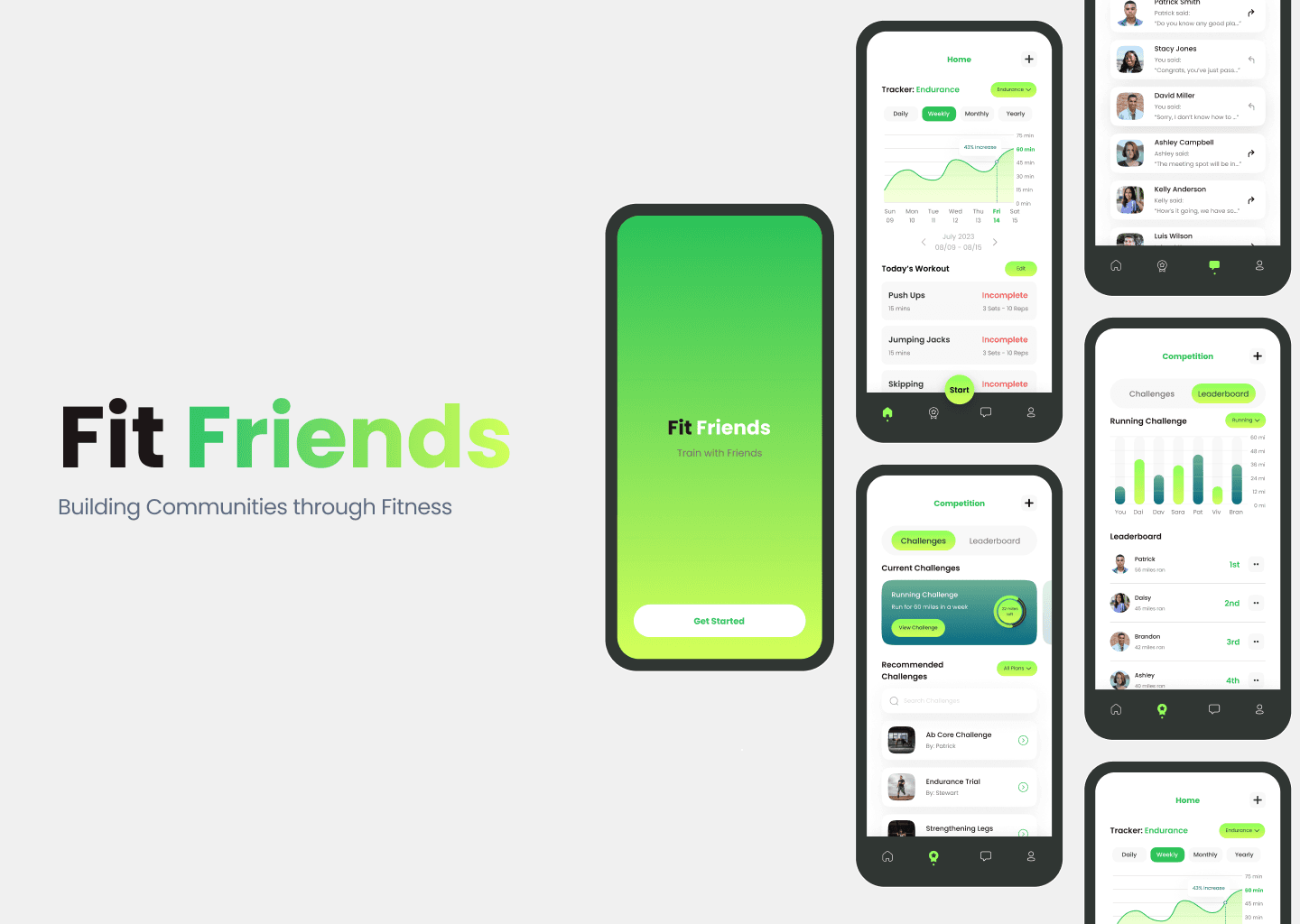
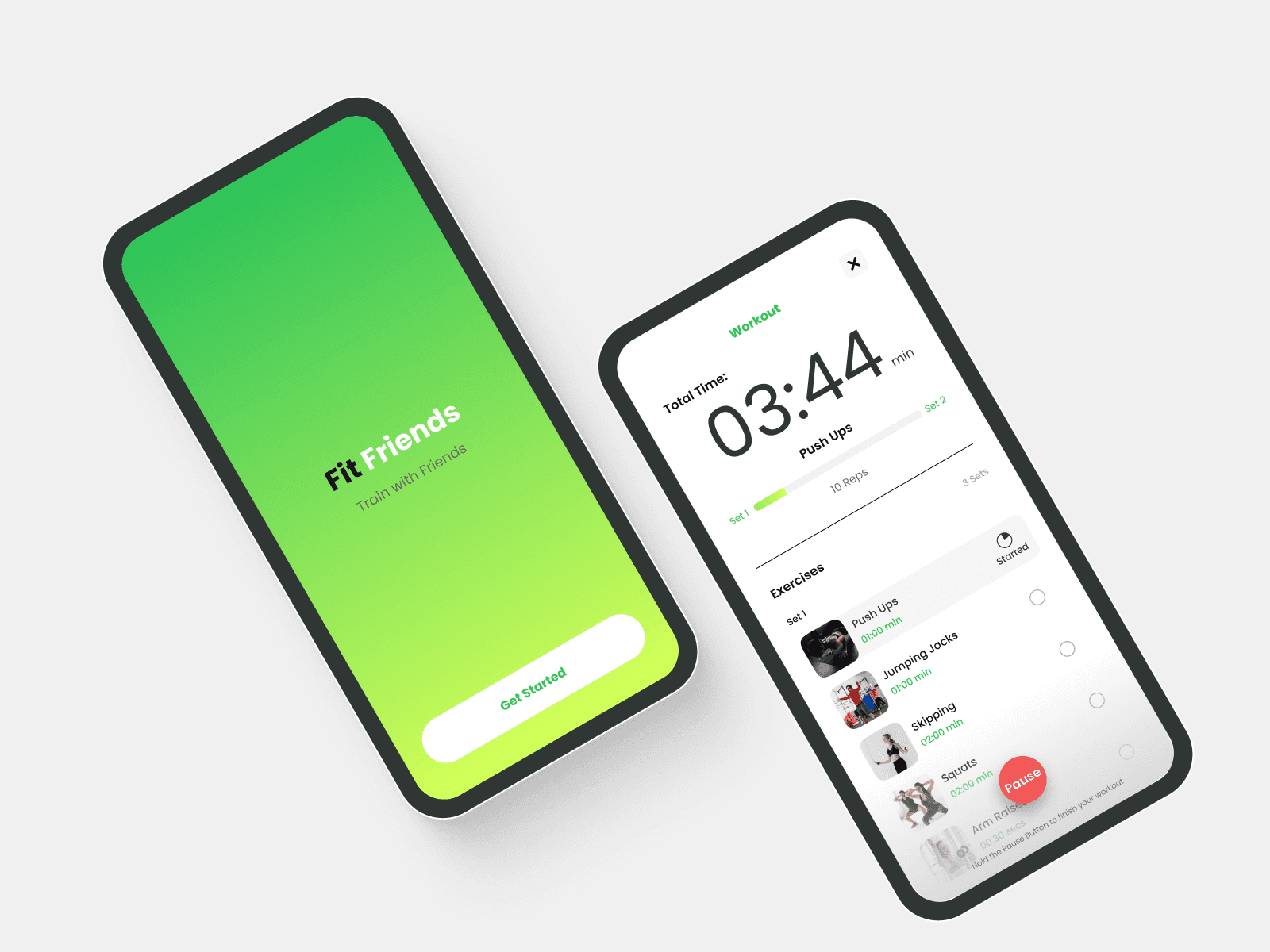
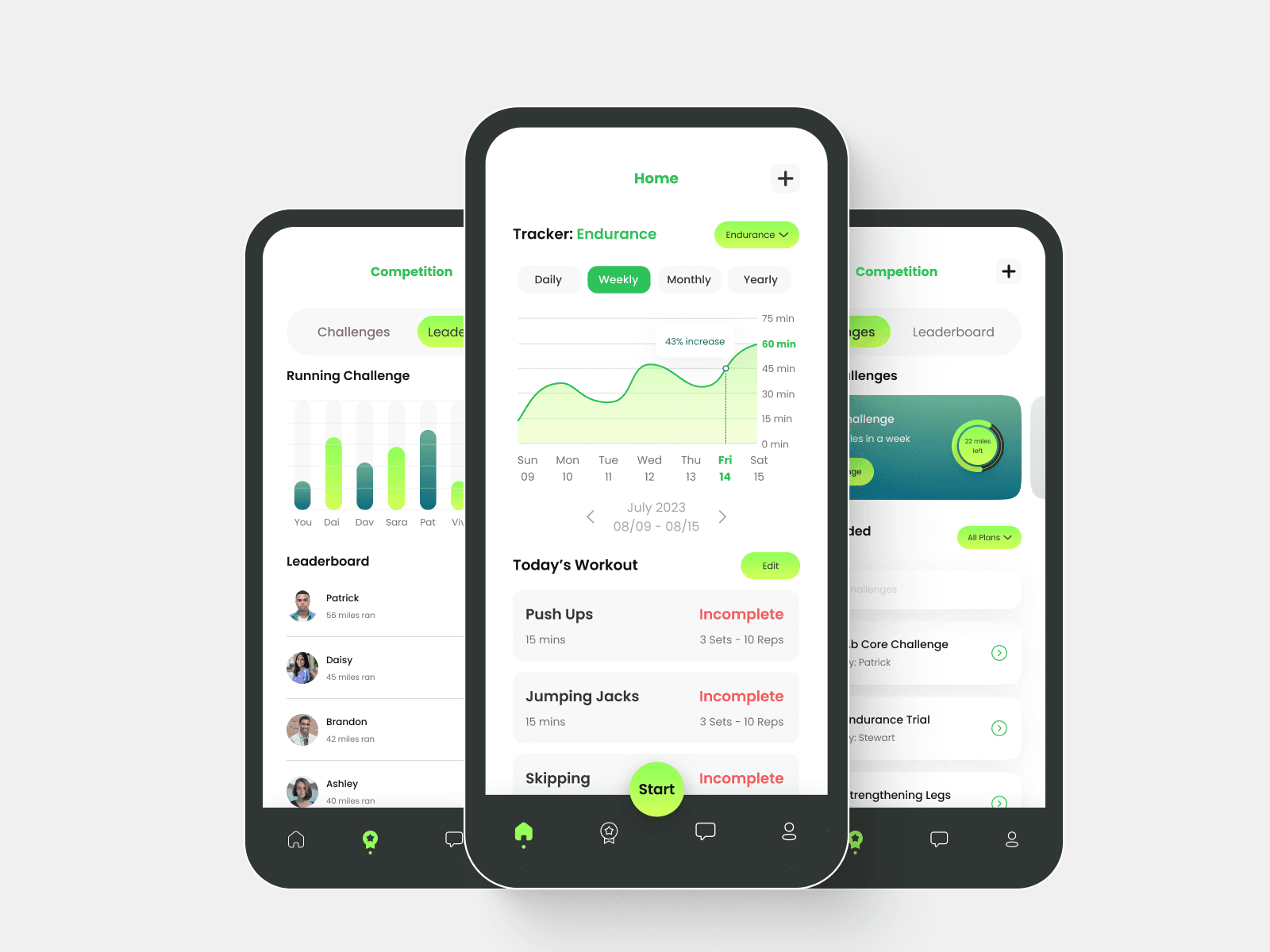
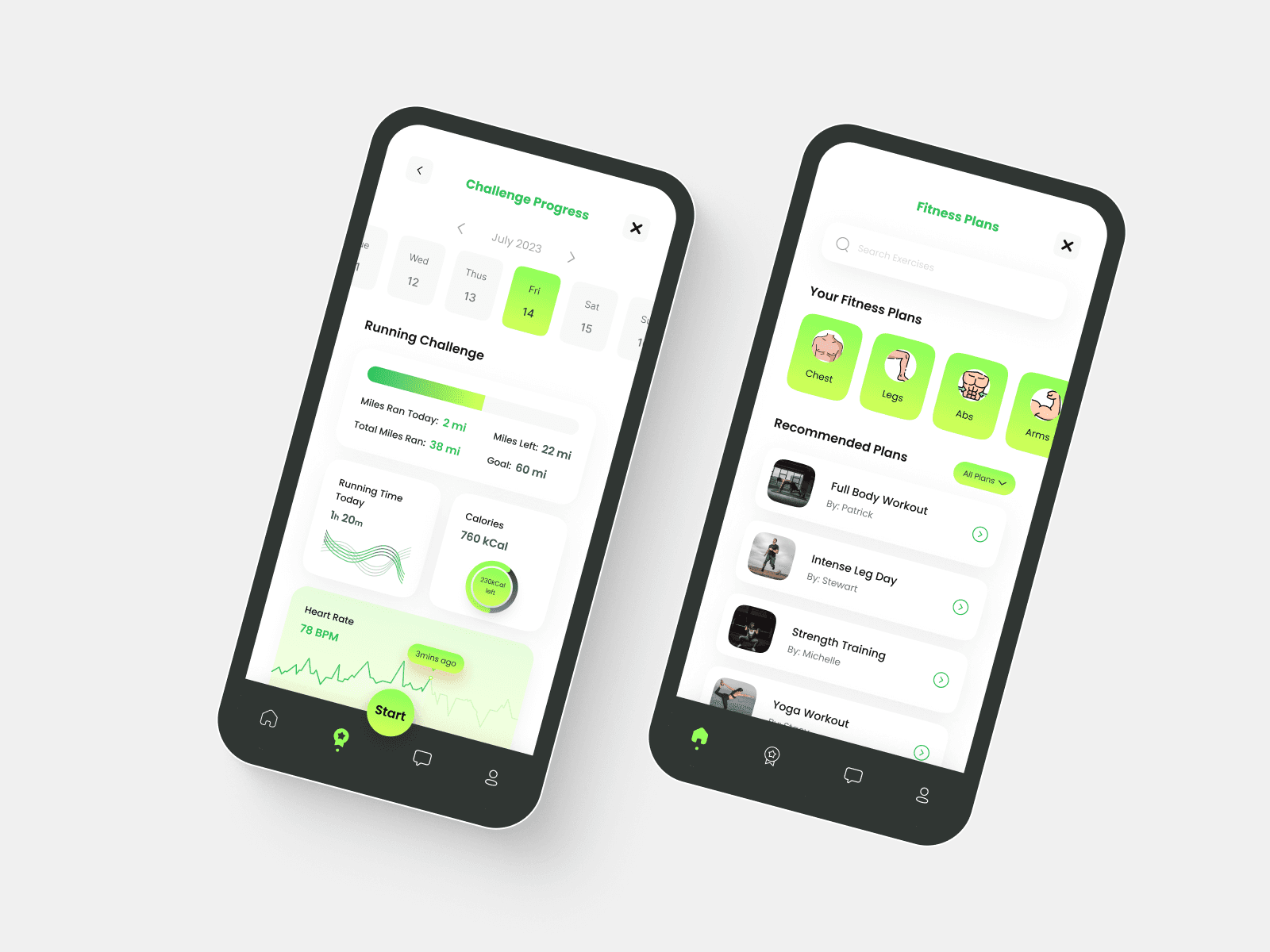
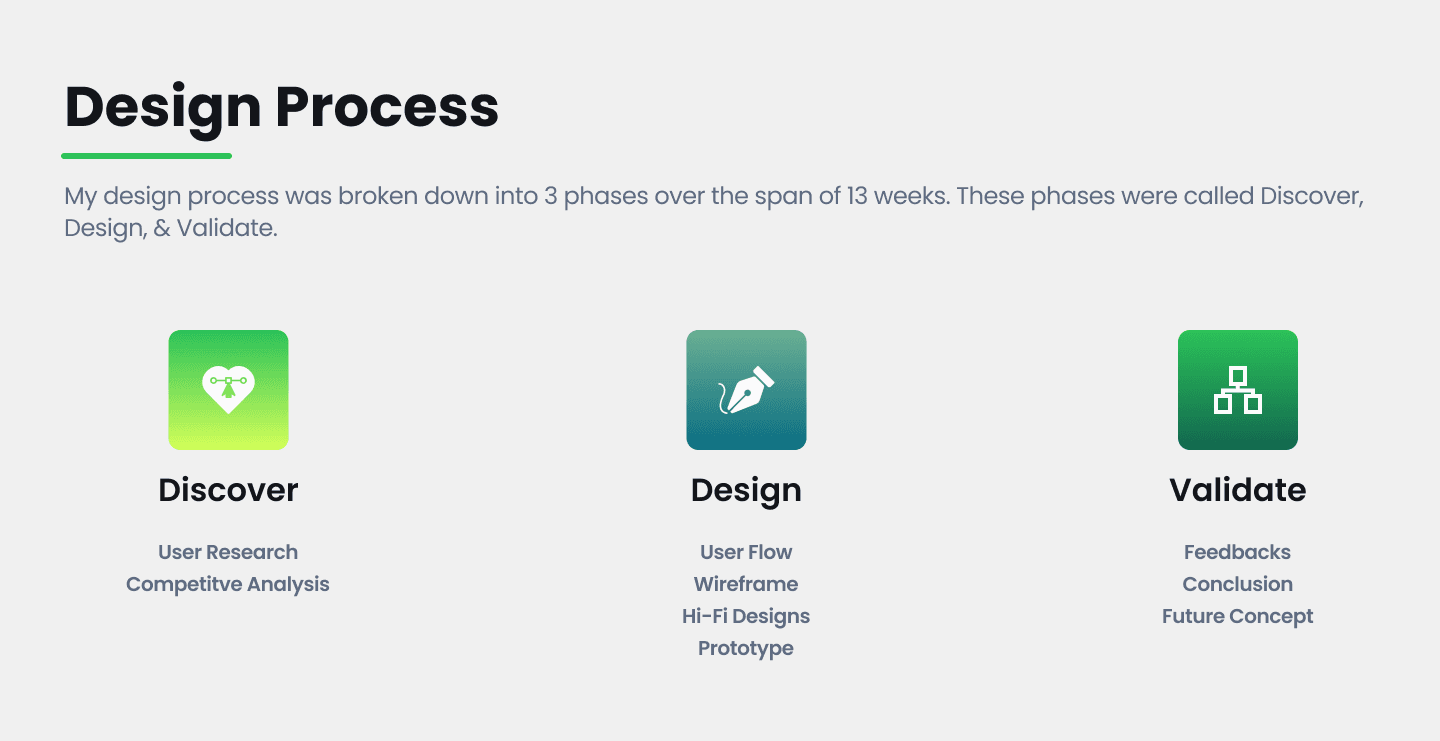
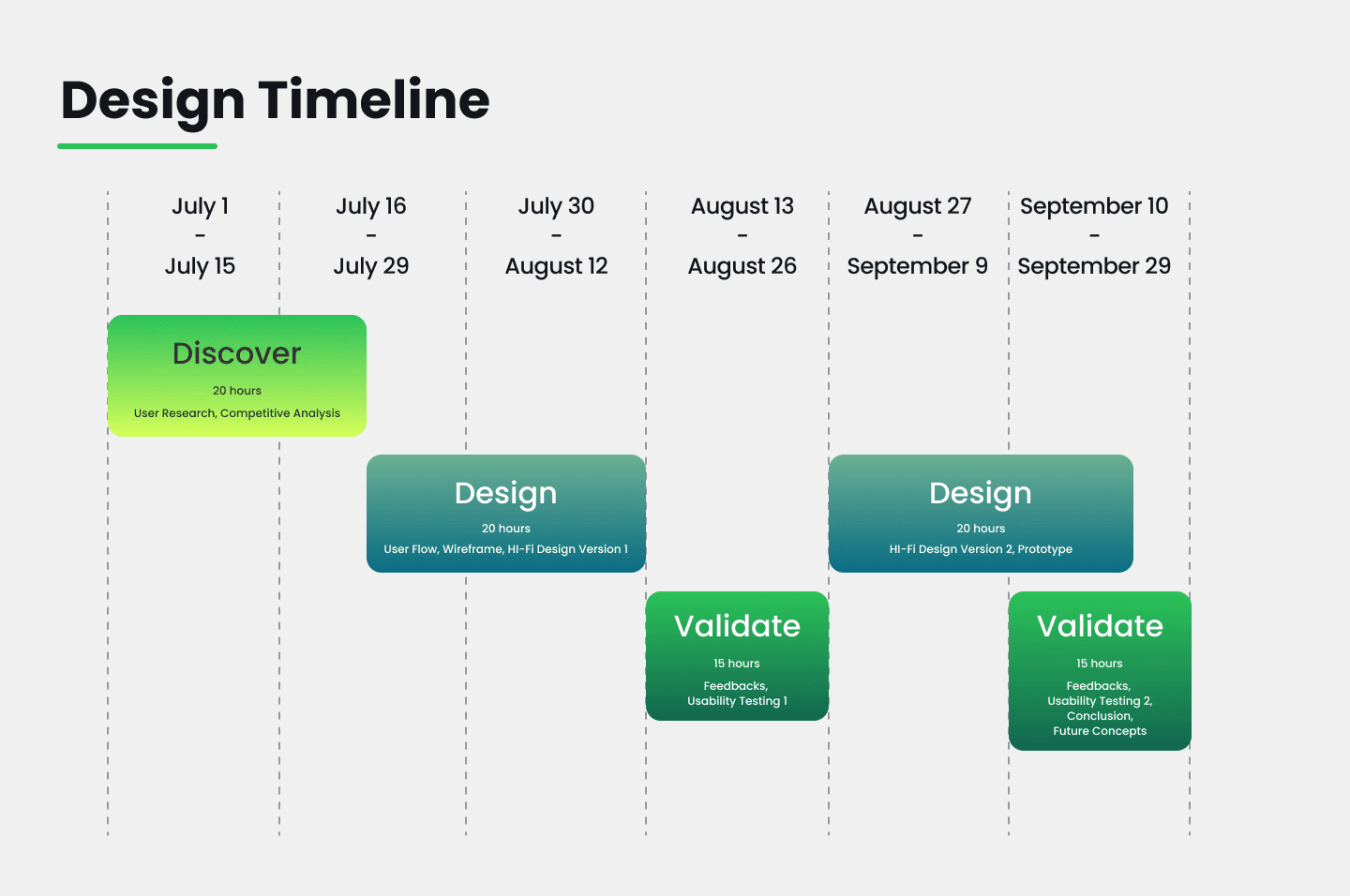
I’ve had a total of 90 hours to work on this product which forced me to space out how much time I could allow myself to work throughout each phase.
I worked on this app single-handily from start to finish and took on many roles:
Researcher
User Interface Designer
Usability Administrator
July 1, 2023 - Sept 29, 2023 (13 weeks)
In the given scenario of the brief, their fitness tracking app excels at monitoring users fitness goals. However, it lacks community & engagement between users which leads to most of them deleting the app.
While creating this fitness tracking app, I have to incorporate several messaging features that could provide enough engagement between users so that they lose interest in the app.
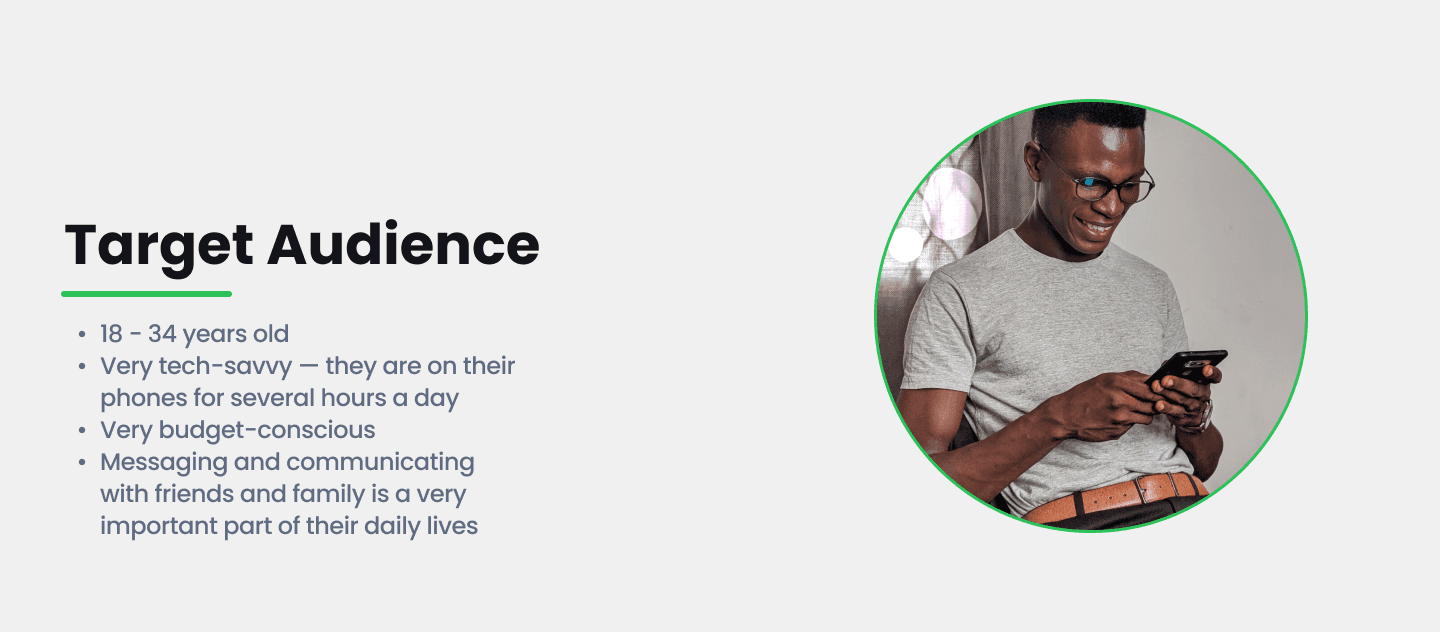
The focus was to research the necessities & issues users had when it came to fitness & communication.
Knowing that the final product would be a fitness tracking app with messaging features, I decided to conduct research into several competitors that focused on Fitness, Community, or Messaging.
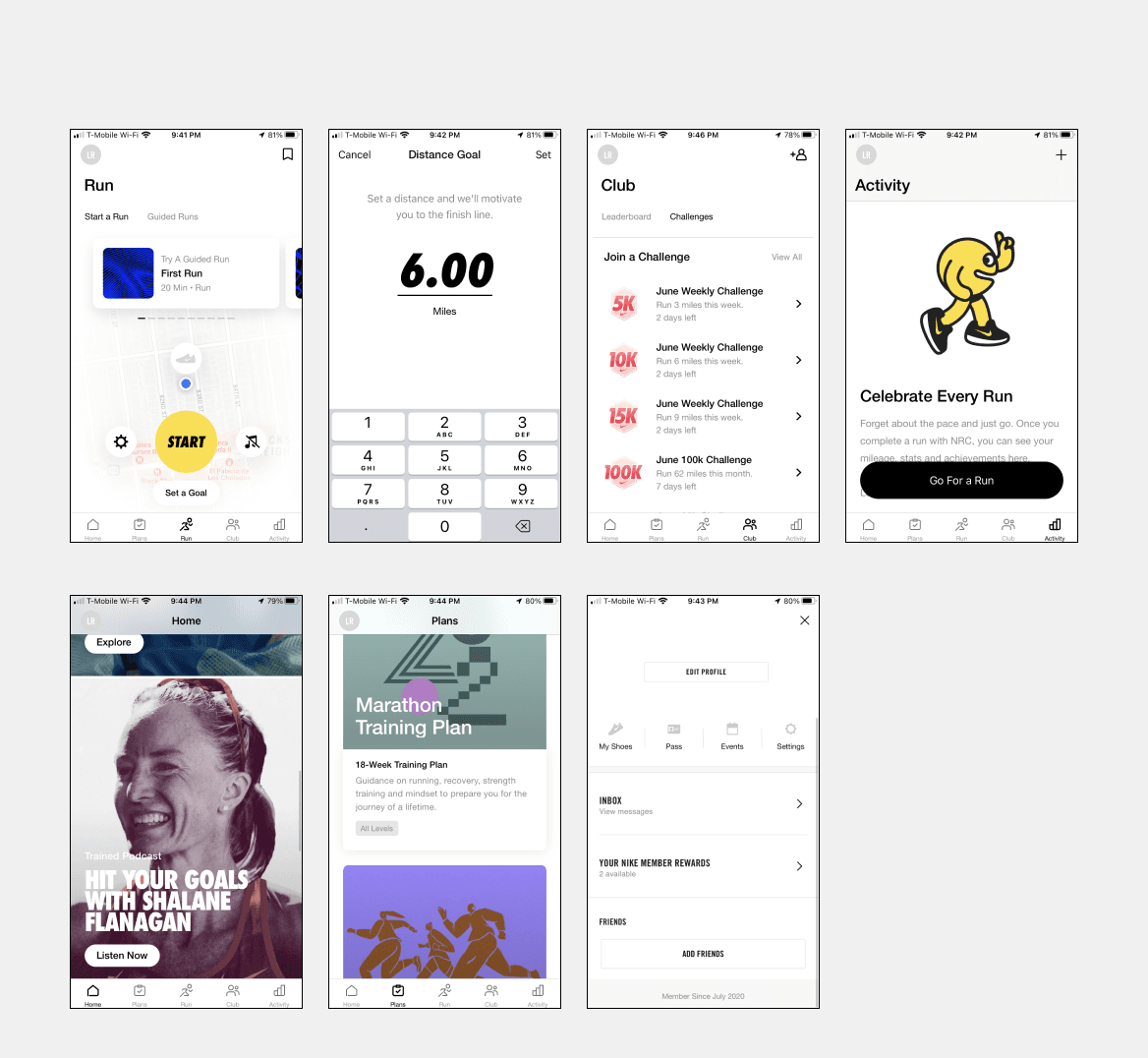
Nike Run Fitness Club App
Observations
As soon as you open the app, you could hit the Start button & begin your run.
You could set up your running distance goal easily & it notifies you as soon as you reach it.
You could create own running groups (clubs) that easily allow people to take on challenges & compete in a leaderboards.
In the Activity page, you would be able to keep track of all your previous runs & achievements
The plan page provides many different training programs that users could try out in order to better improve their physique.
At the Home Page, there is a long list of audio articles & fitness podcasts that all talk about running. It seems overwhelming & too repetitive to browse through this.
At the Profile page, there is an inbox where you receive notifications & messages from Nike. Unfortunately, you can’t message your friends from your running clubs which seems it could be beneficial for the users.
For the Challenges tab within the Club Page, there is no button or option that allows users to create challenges for their friends or themselves.
For the Leaderboard tab within the Clubs page, users have to submit their runs from their activities page in order to be ranked which seems tedious.
Productive App
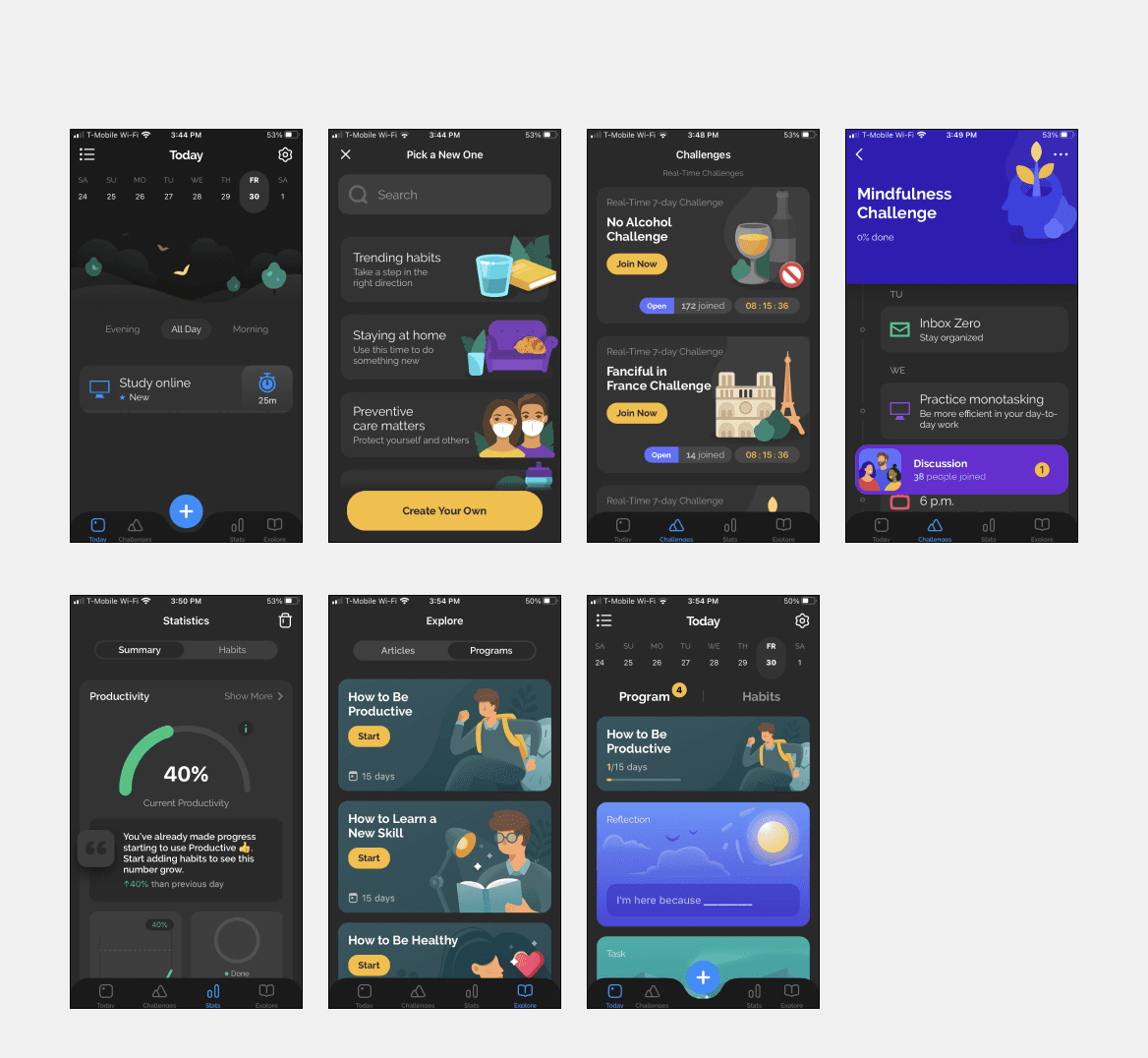
Observations
Users can create & list out the habits they wish to work towards. They can edit it to fit their desired timeframe, time of day, & level of importance.
Users can partake in challenges that other users create in order to develop the same habits other people are working towards.
The Stats page provides a visual overview of the user’s progress based on the tasks they’ve completed & the tasks they’ve skipped with the help of plenty of visual aids.
Users can select to participate in programs that provide step by step guides on developing certain habits. It seems to be very a helpful feature for new users.
Users cannot directly message each other through the challenges they participate in except only through a discussion board that is shared with everyone who is a part of the challenge.
In order for users to continue using the app, they have to pay a yearly subscription.
The settings page can only be found on the Home/Today page. It caused some confusion on where I should find it.
Slack App
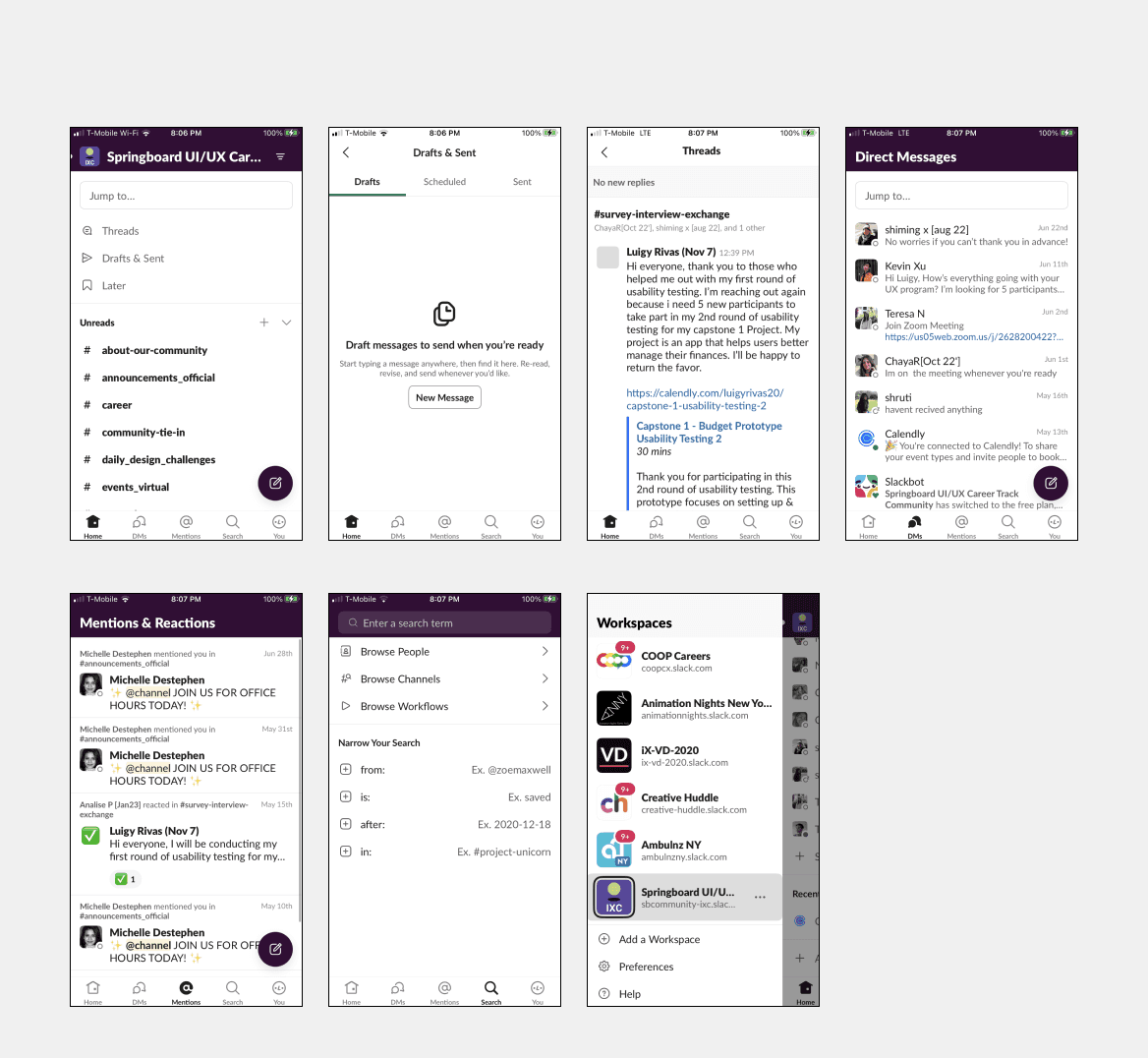
Observations
The Home Page separates & organizes all of the workspaces, communities, & private DMs you have into their own categories.
Users can create drafts for their messages & save them for later.
Users can search for a specific term in the search page that would showcase all the messages that utilized that term.
Users can add multiples workspaces to their slack & join different communities that are available to them.
Unless the user is one of the owners of the workspace, they cannot create their own communities without their blessing.
Users can get bombarded with messages from all groups & DMs they’re a part of. It’ll be ideal if users can select which groups they’ll like to receive notifications from.
For the mentions & reactions page, it’ll be ideal to separate the messages between all the threads they’re a part of & all the direct messages that are geared towards them. It seems too overwhelming & disorganized.
In order to understand users plights & necessities further. I conducted a survey on 5 participants.
80% of participants would like to receive help & provide help to friends throughout their fitness journeys.
80% of participants would like to share their fitness journeys with friends & view theirs.
80% of participants would like to meet new people who share their fitness interests.
80% of participants are interested in competing against friends in physical challenges.
100% of participants feel more incentivize to workout if they had a friend to share the experience with.
Future Insights
Users would like to be able to track their steps, heartbeat, & pulse meter.
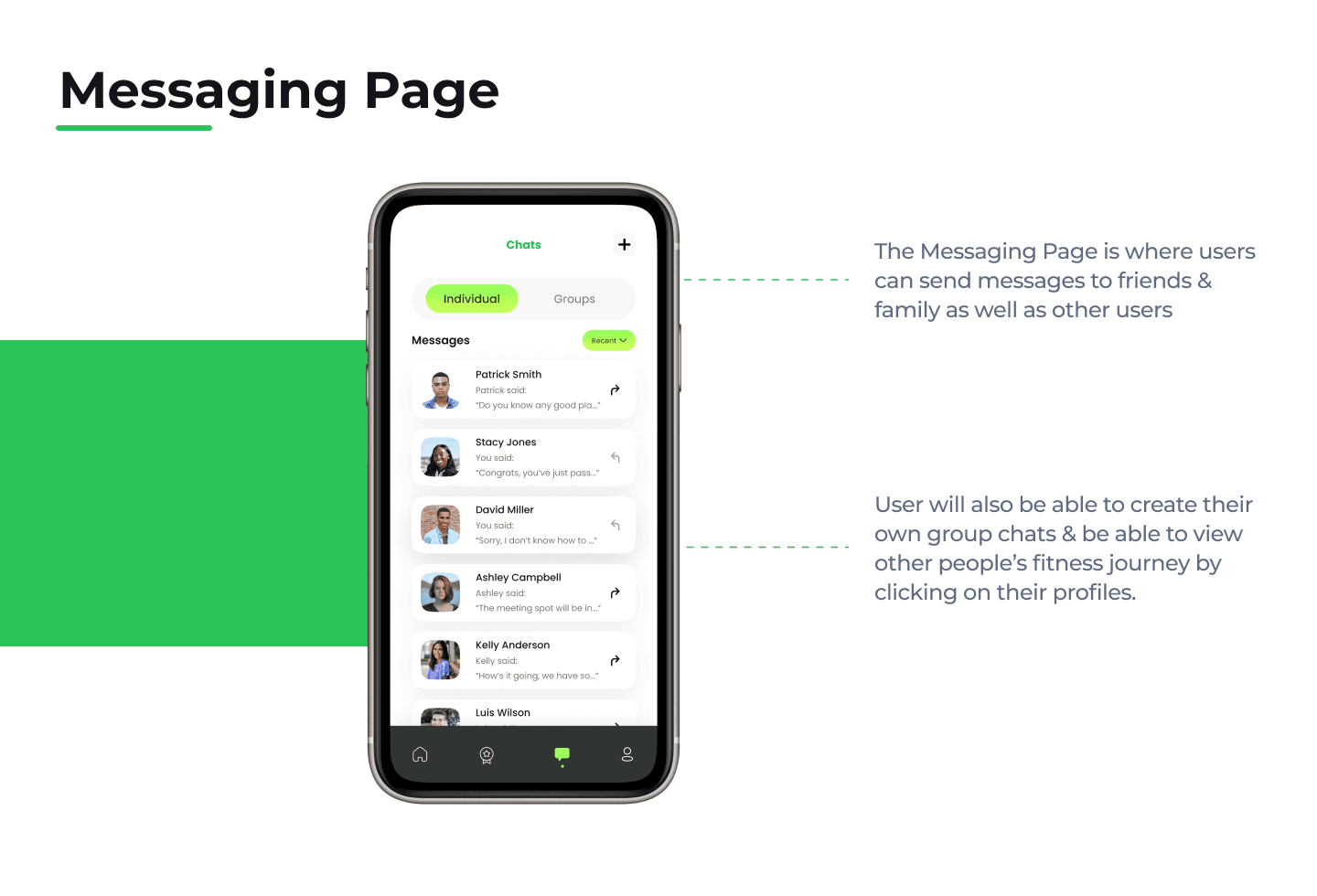
Users would like be able to message other users both individually & in groups.
Some users mentioned they would feel more incentivized to workout if they had a reward system in place.
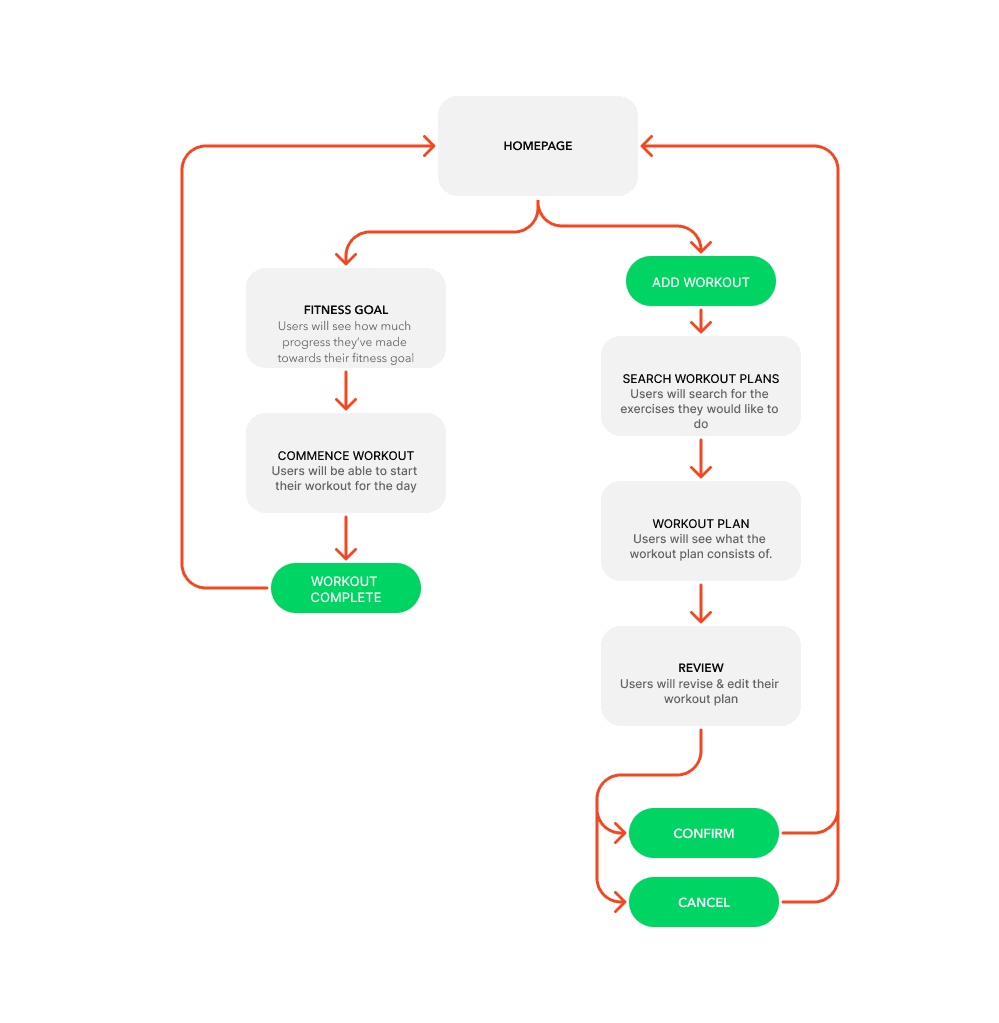
After conducting the research, I moved on to map out the user journeys I found most prevalent for users & designed the wireframes for the Fitness app.
User Flows
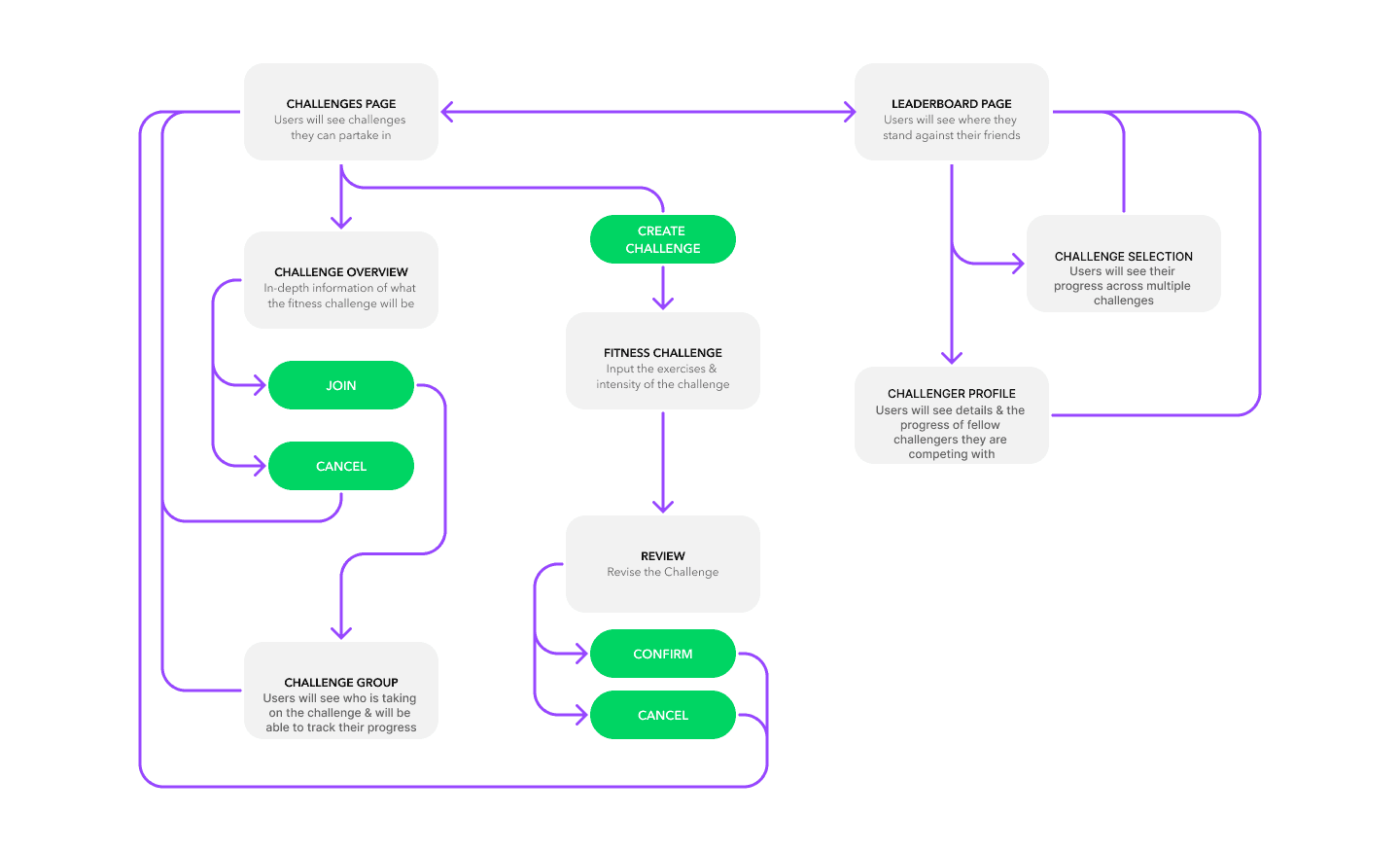
These were the most important userflows I had to map out before I could create my wireframes.
Messaging Userflow
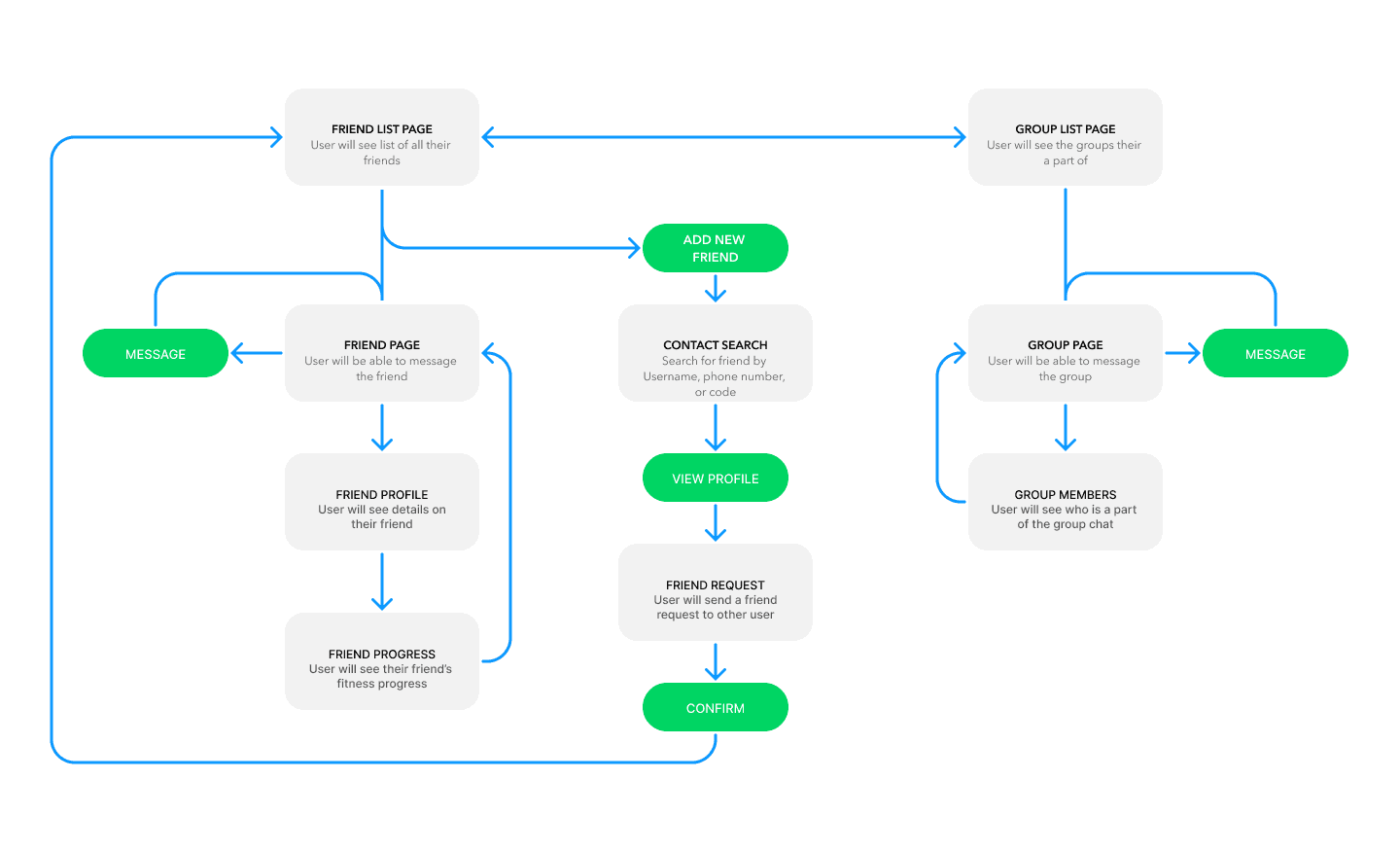
Competition Userflow
Fitness Progress Userflow
Low-Fi Wireframes
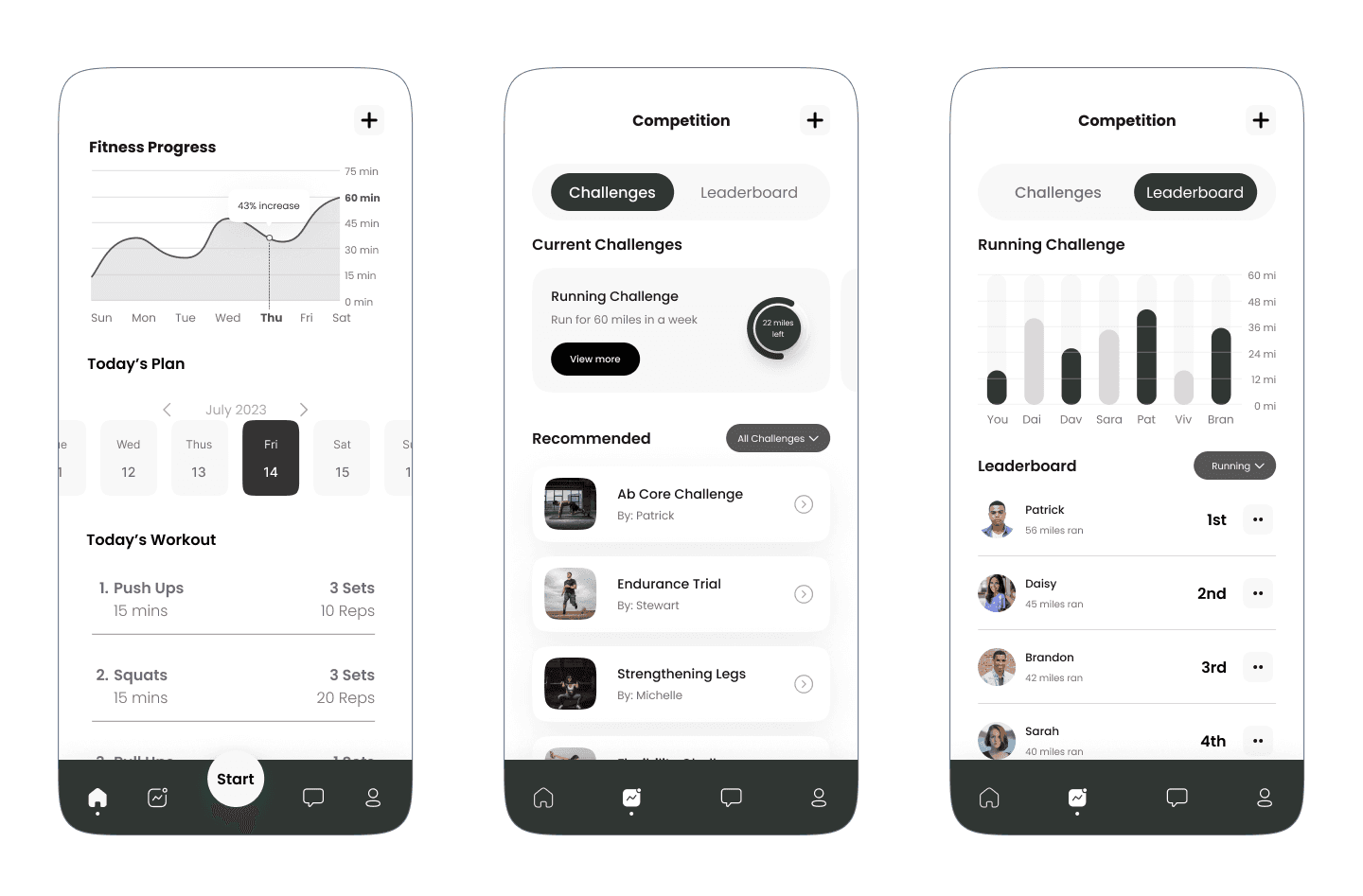
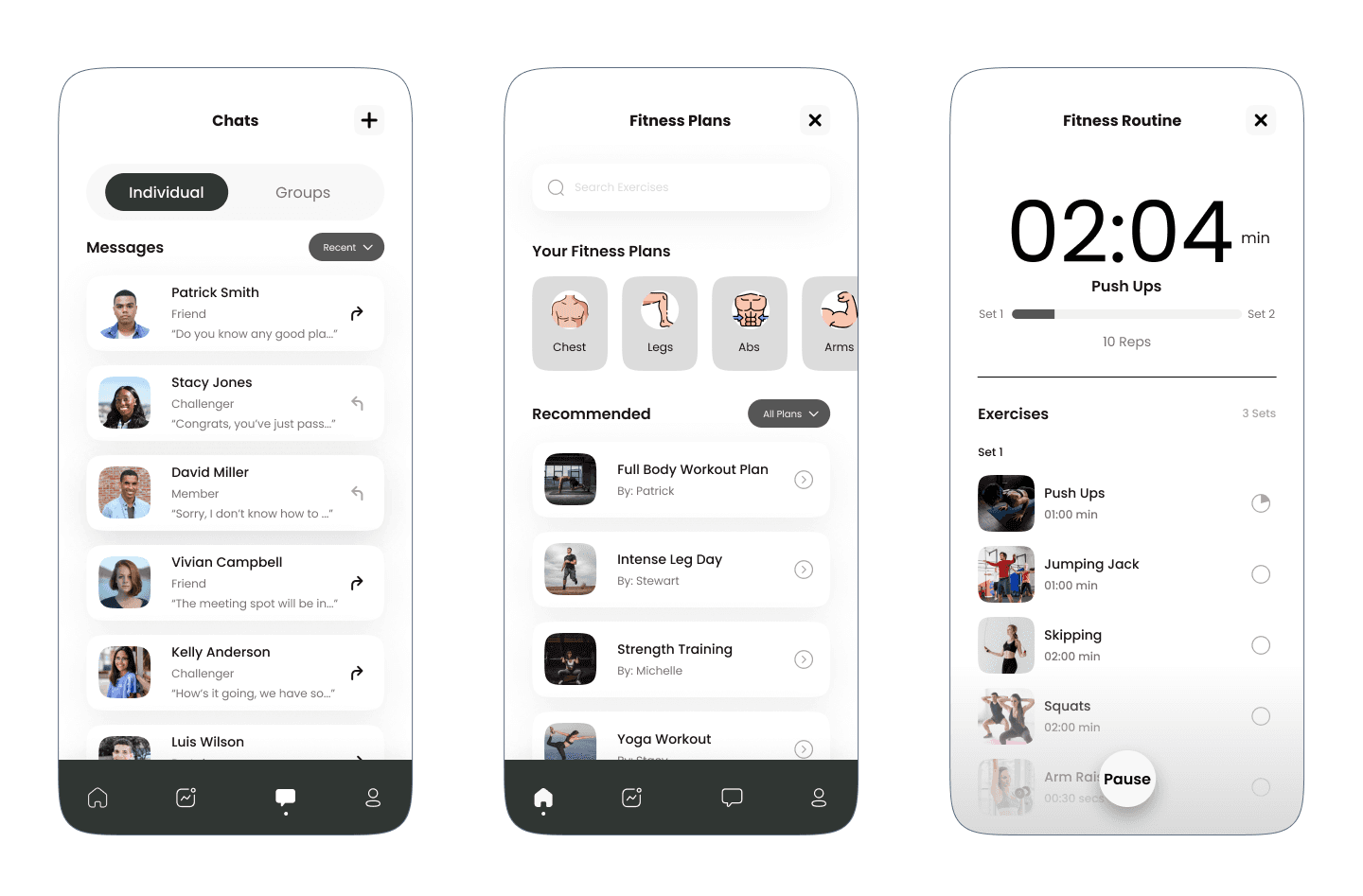
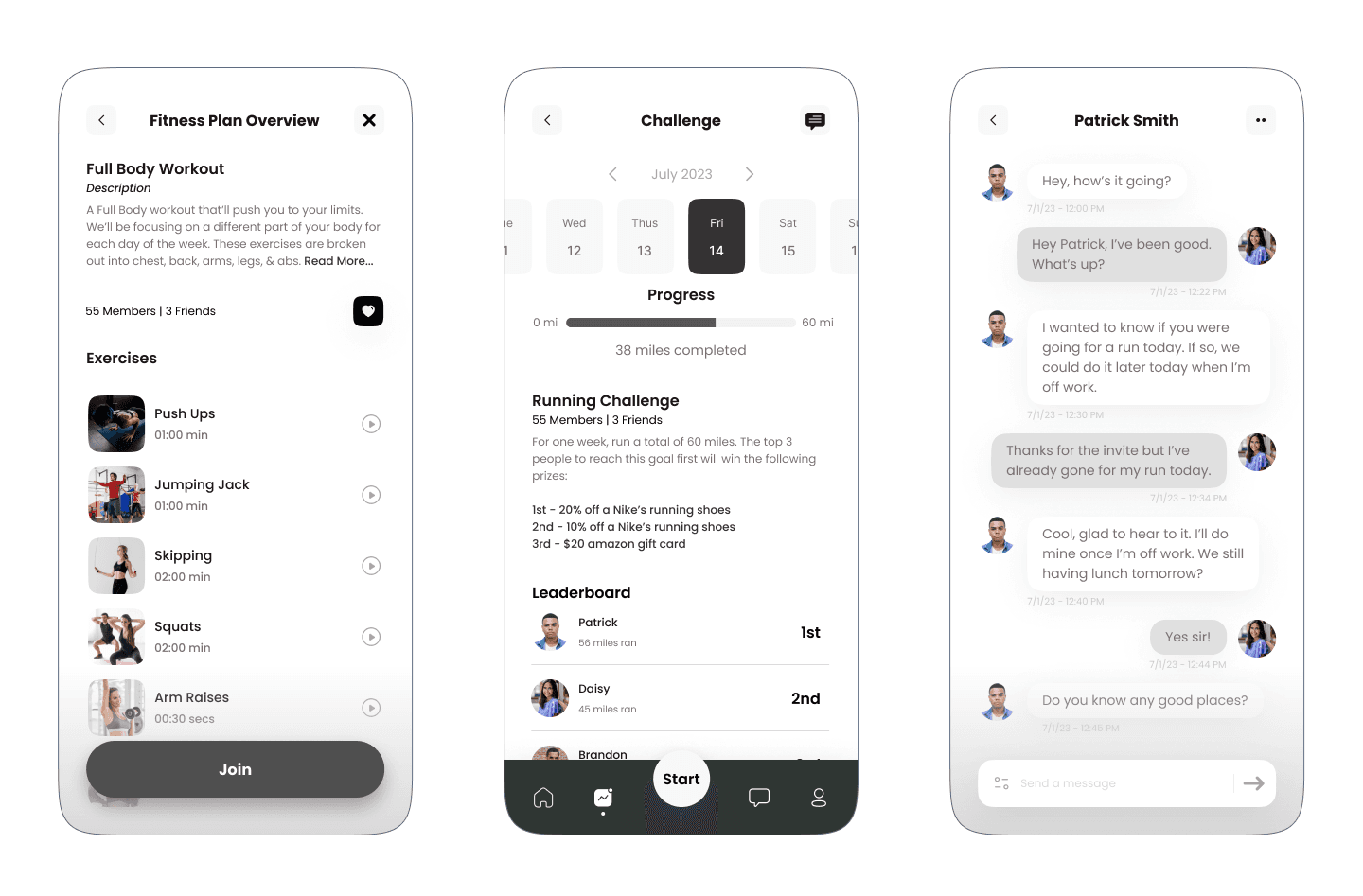
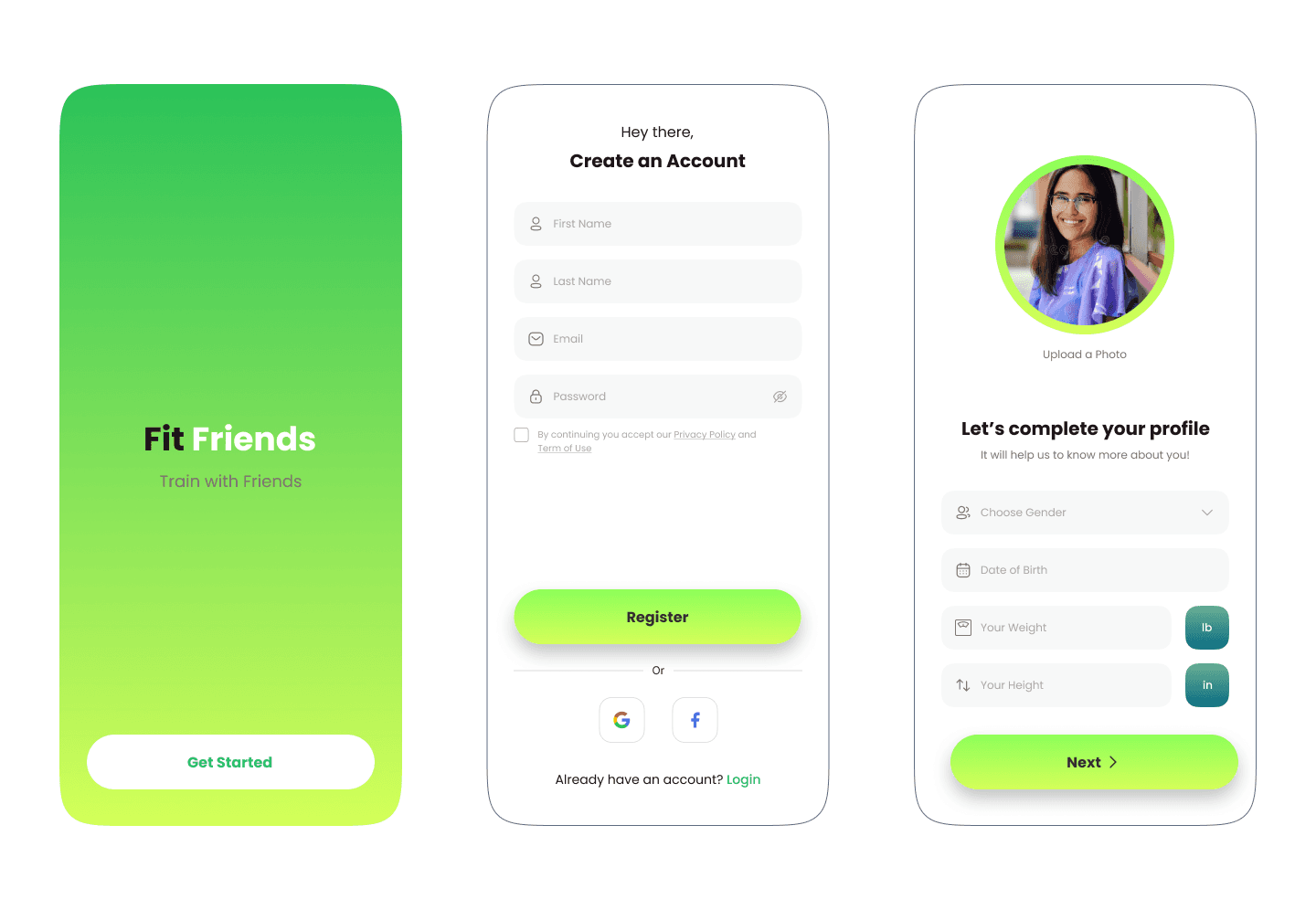
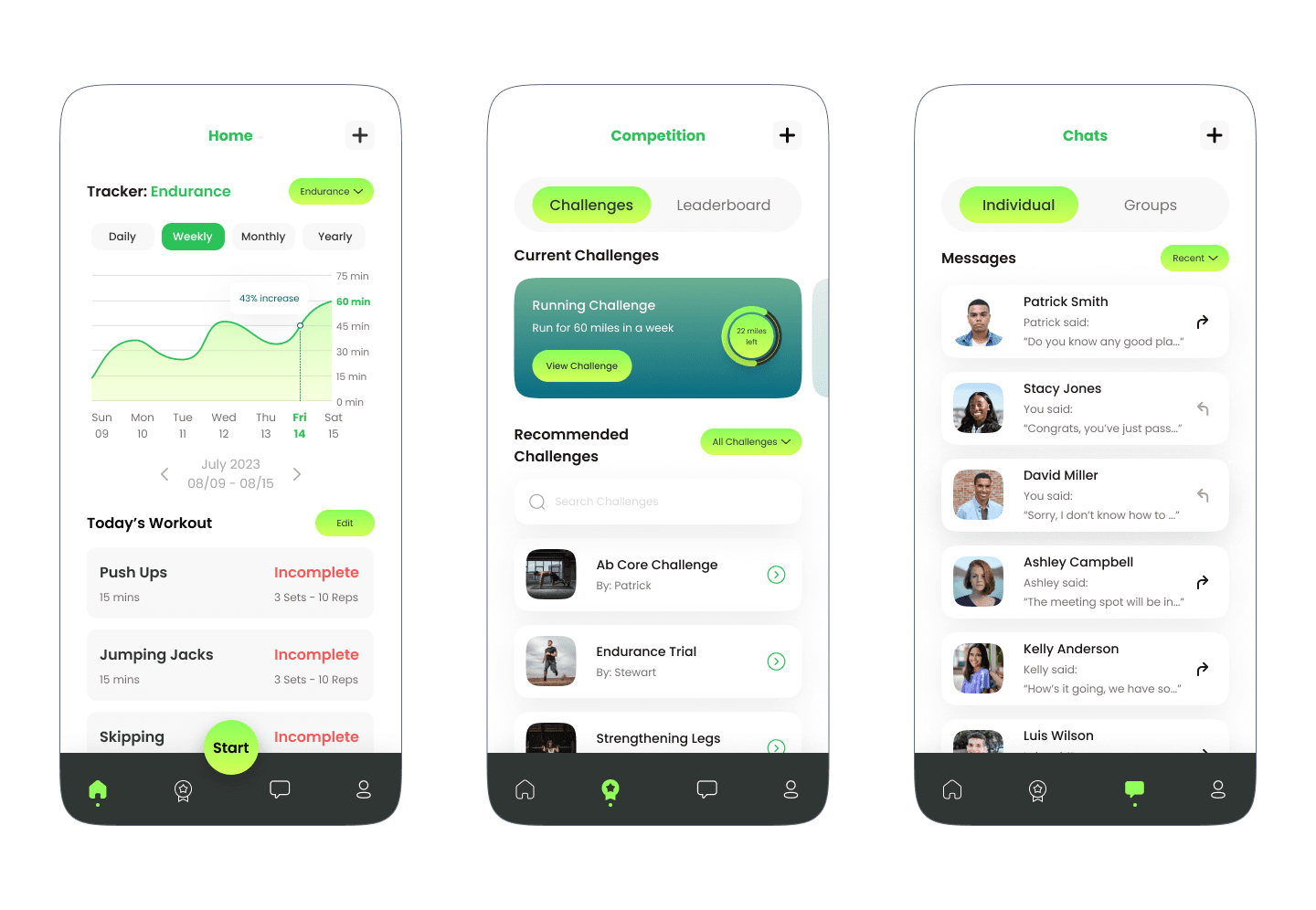
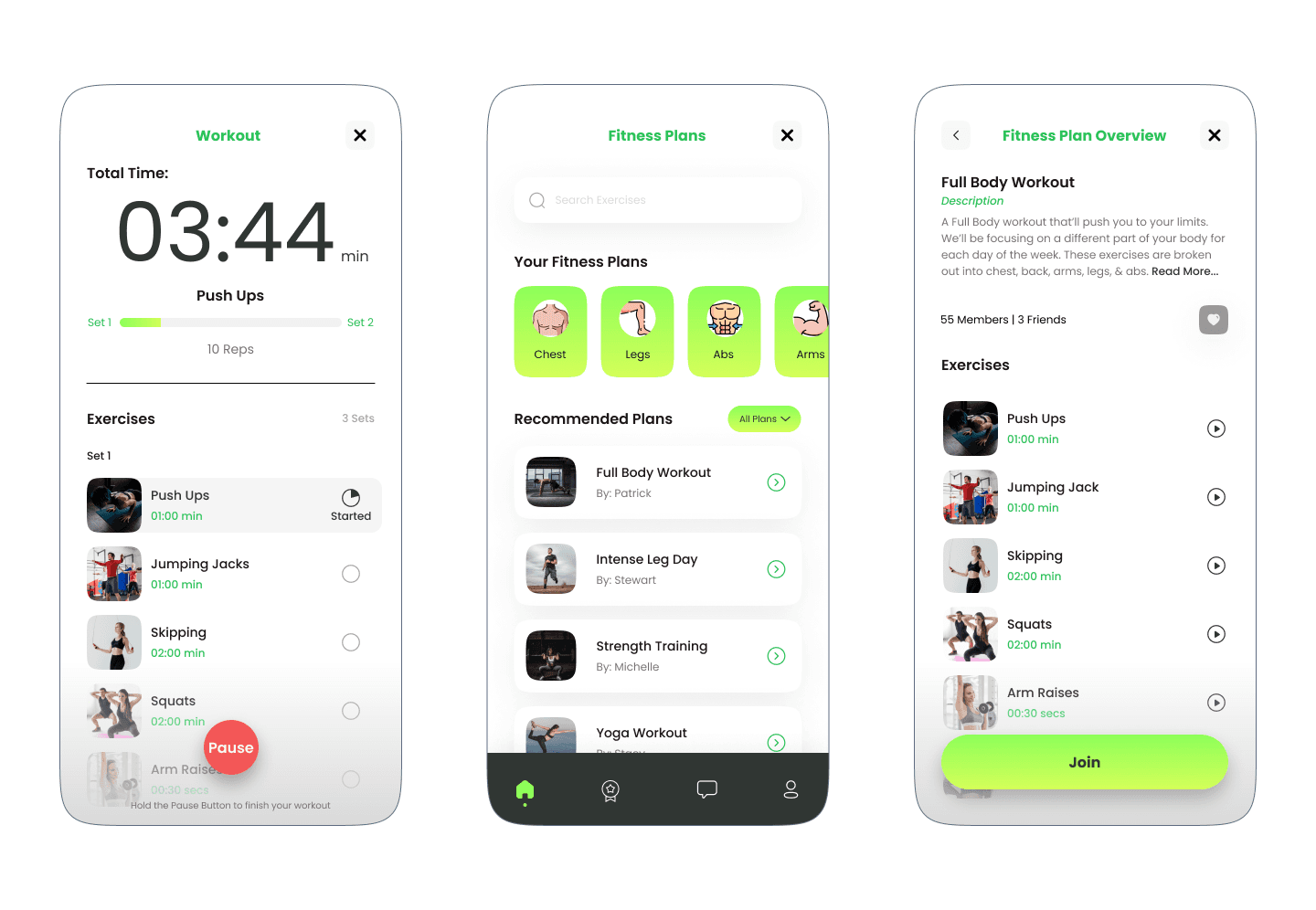
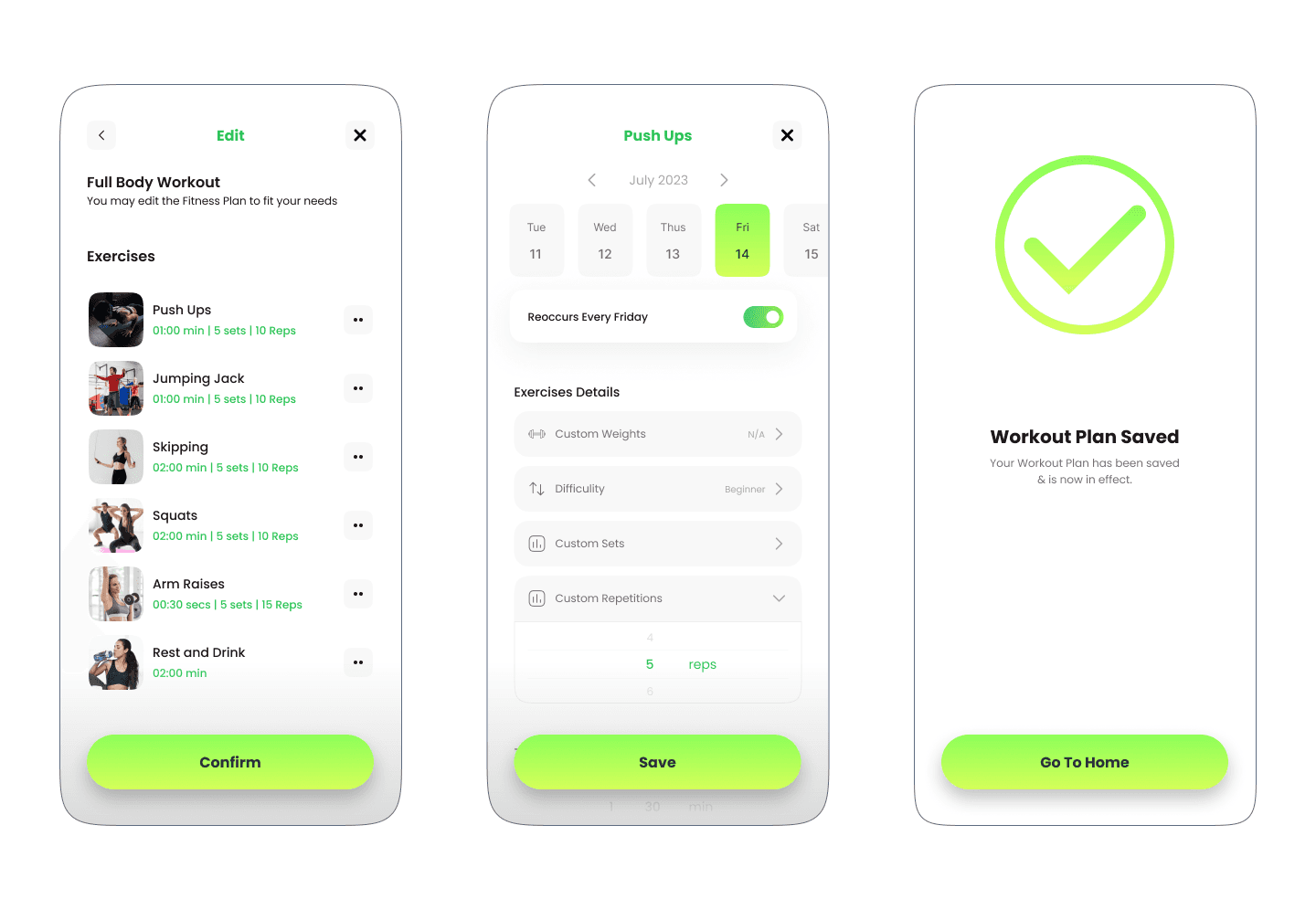
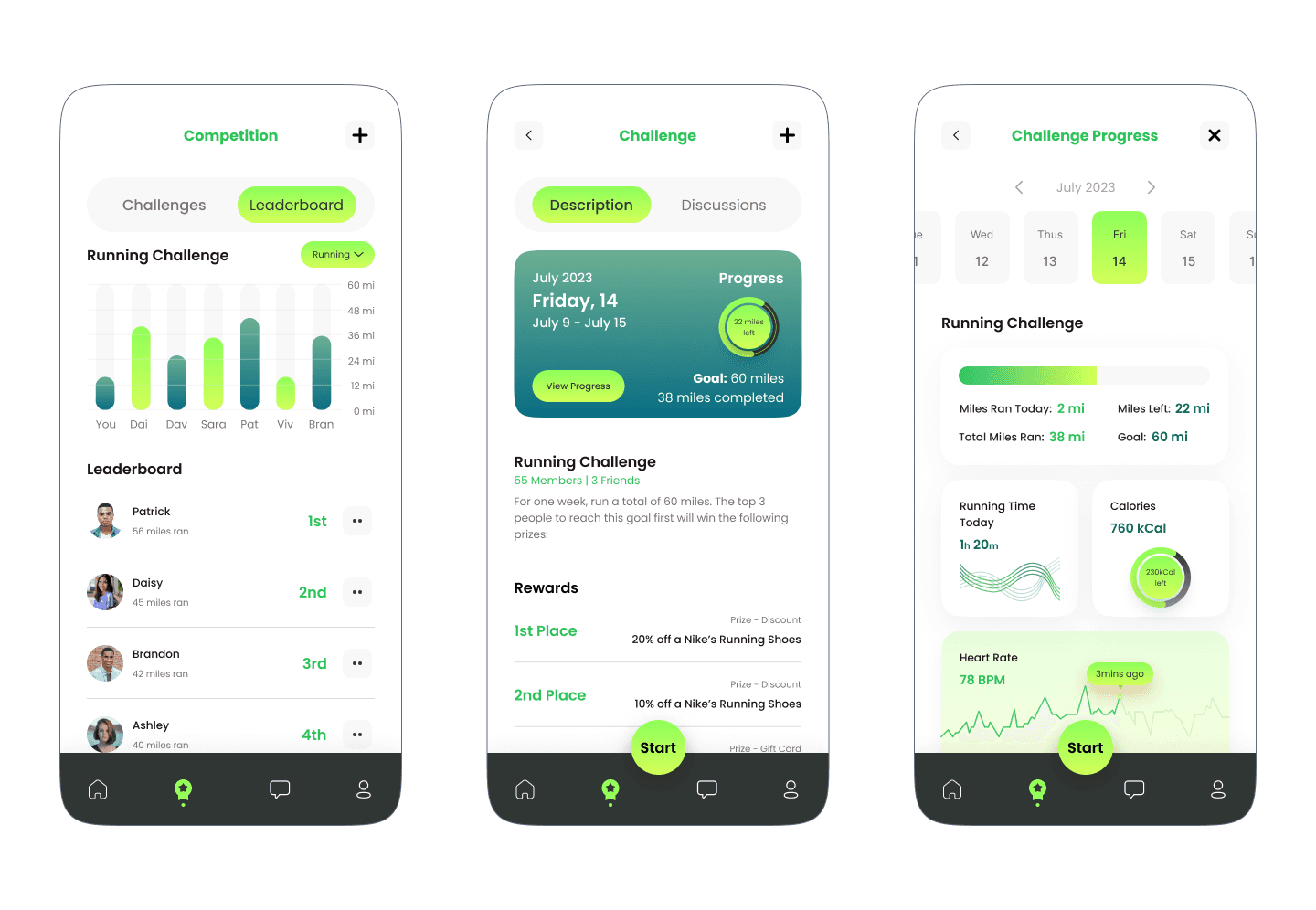
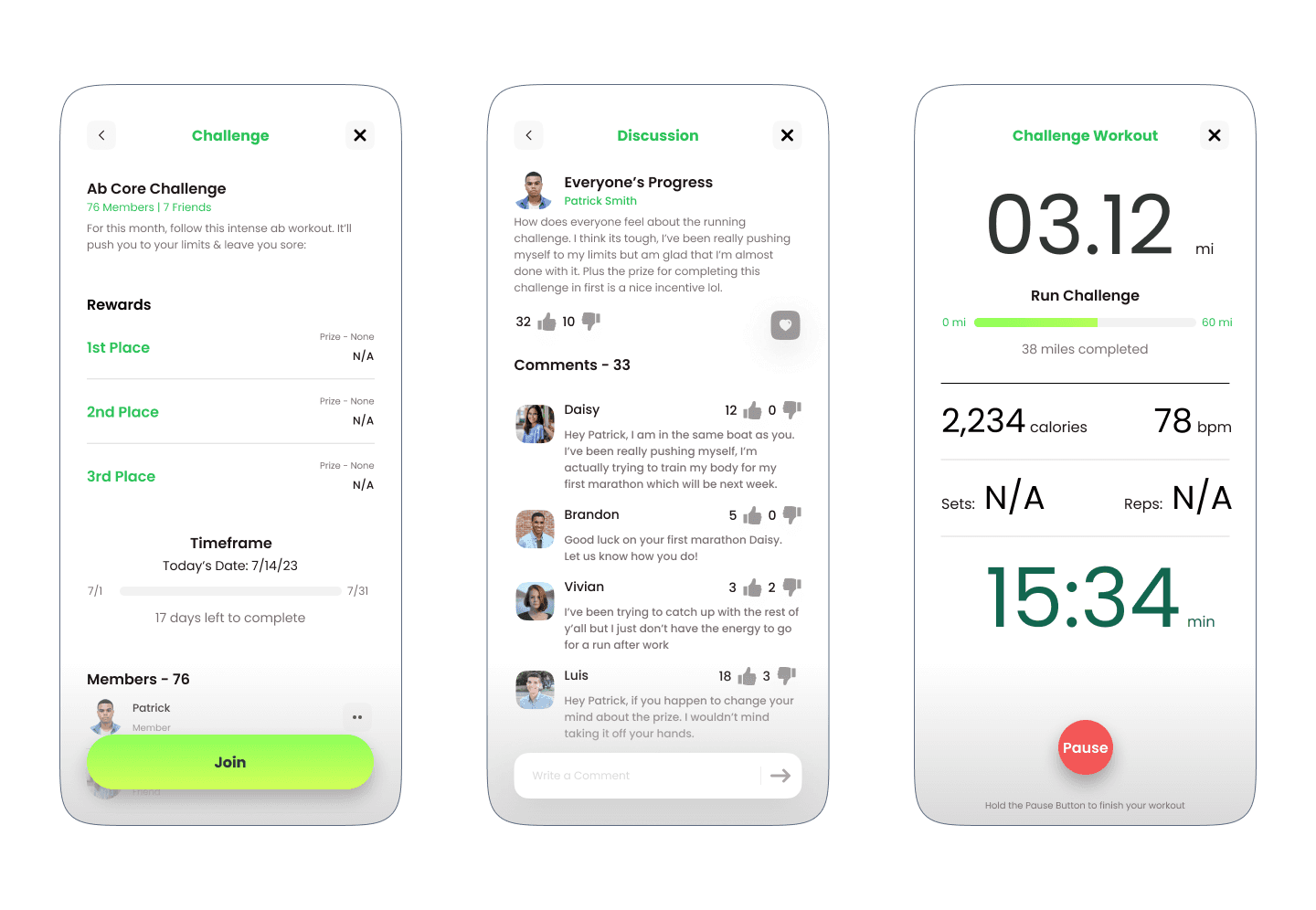
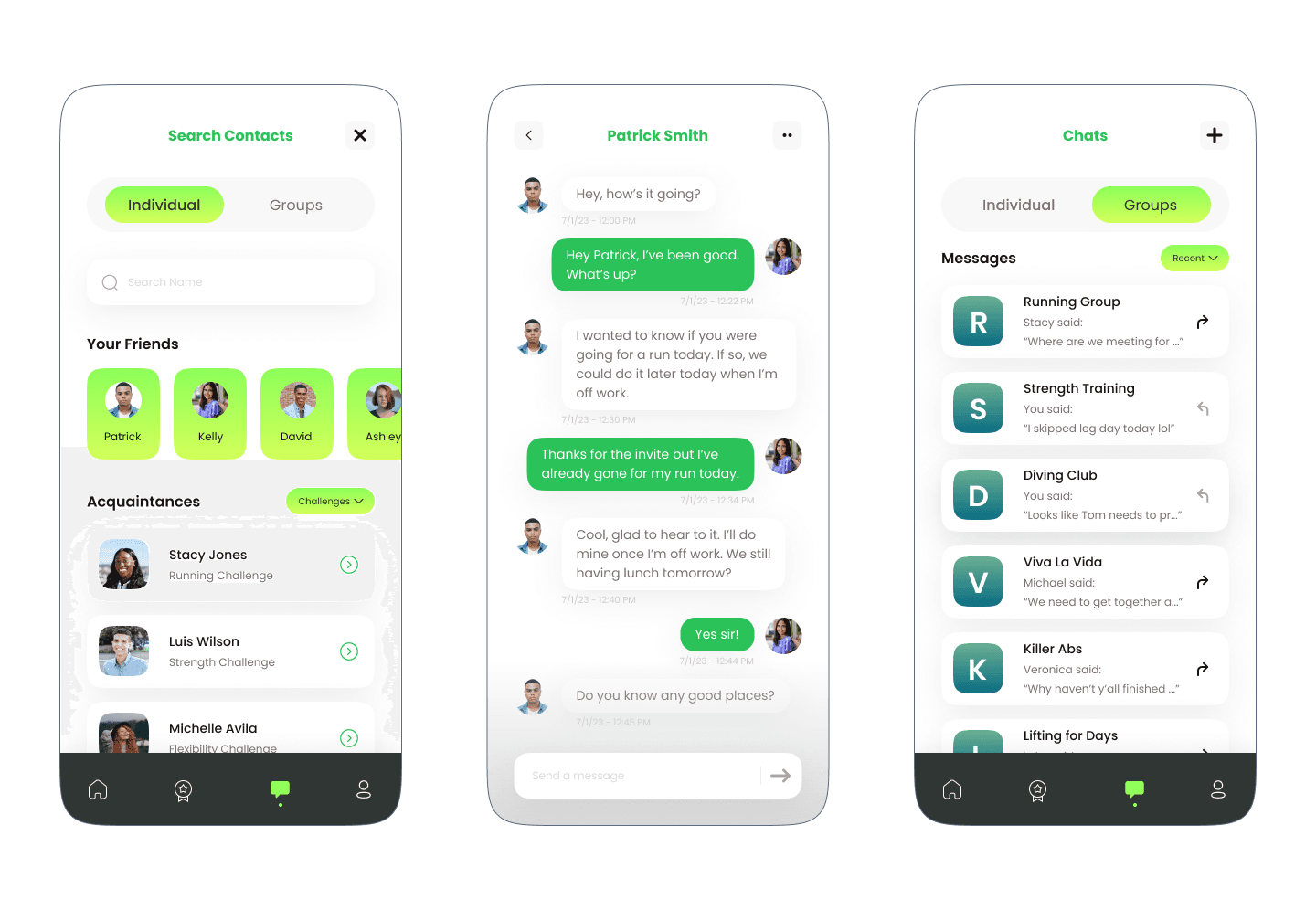
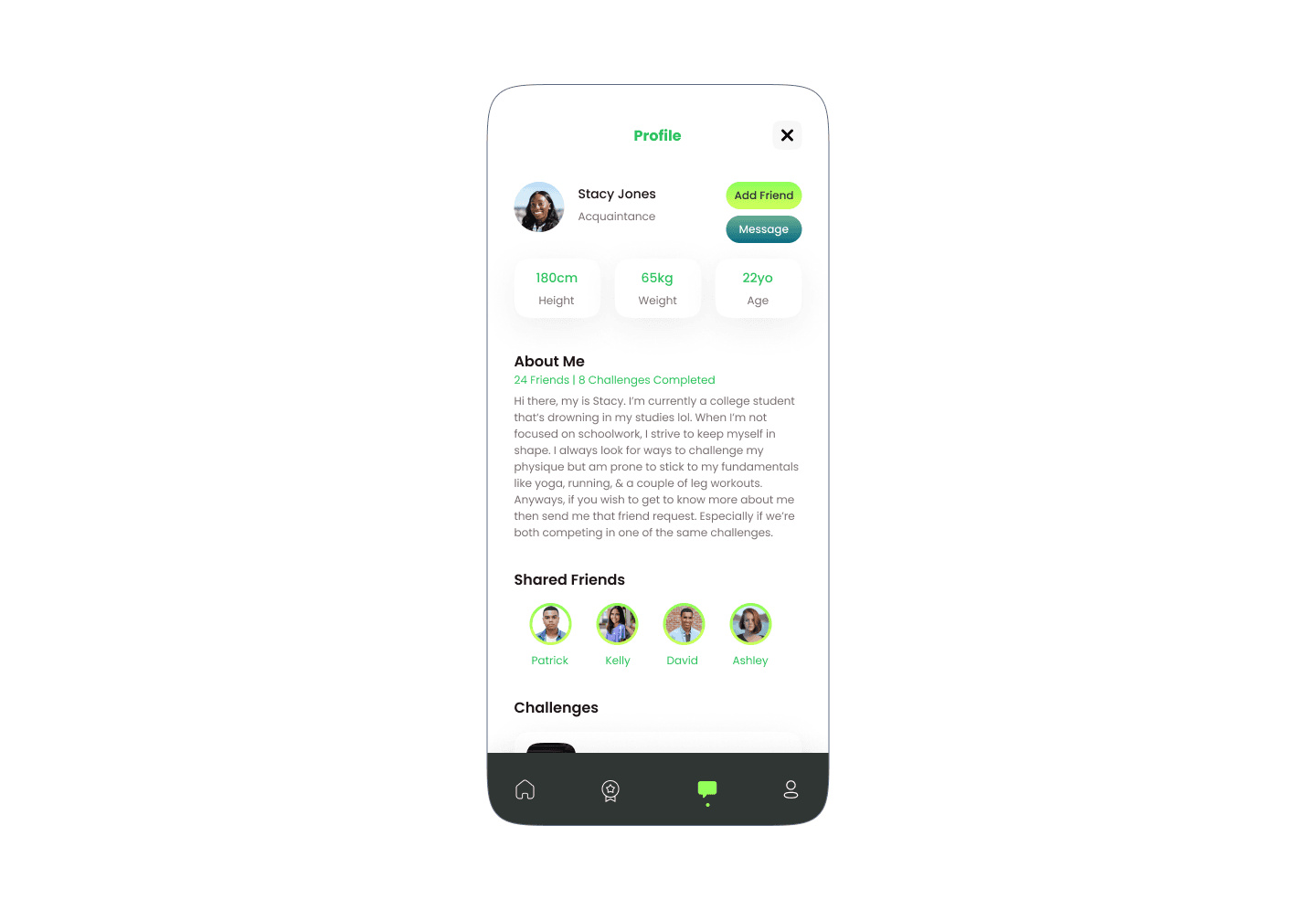
Coming out the design phase, it was time to test them out with real users to verify if they were functional & if they met user needs.
Feedback Changes
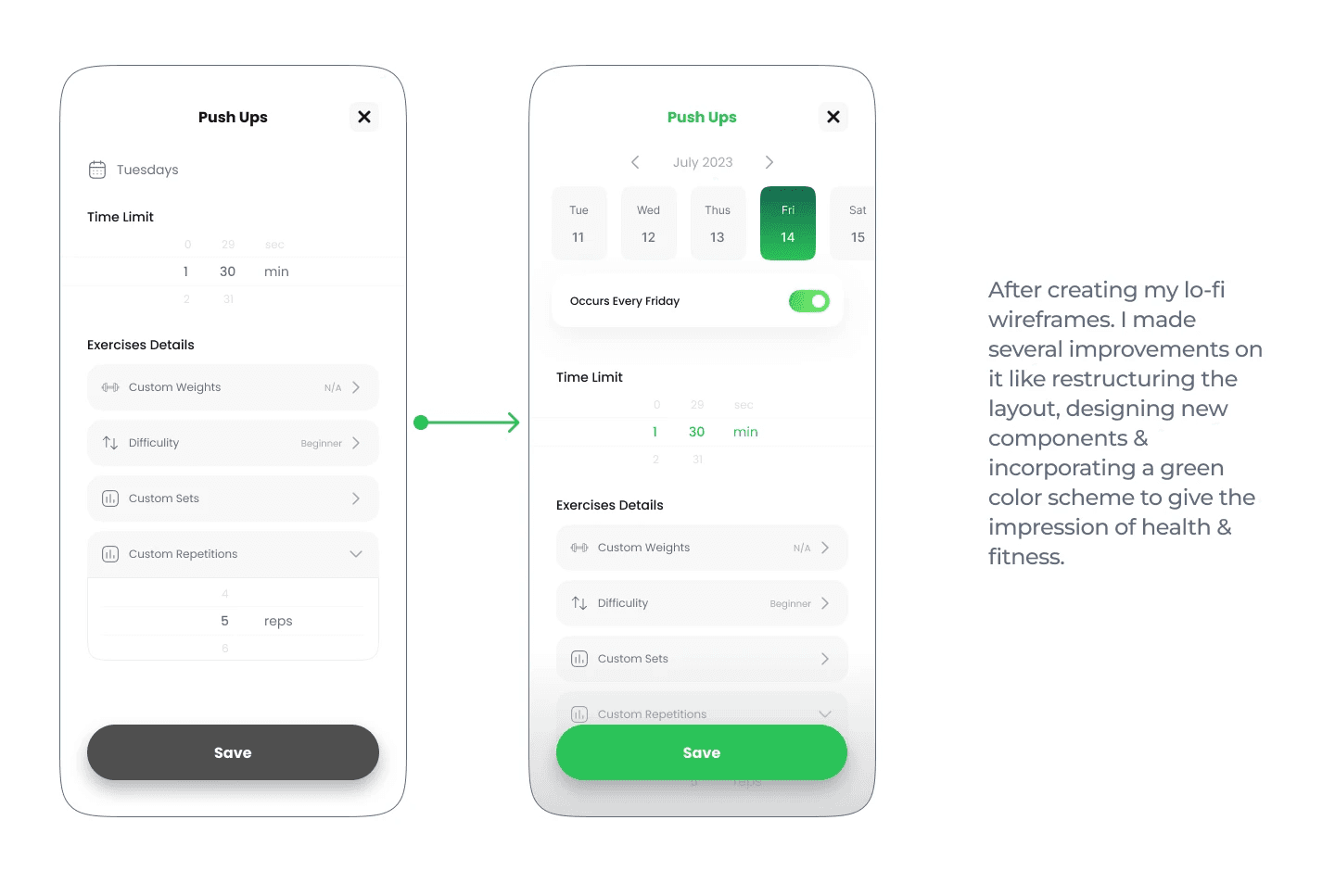
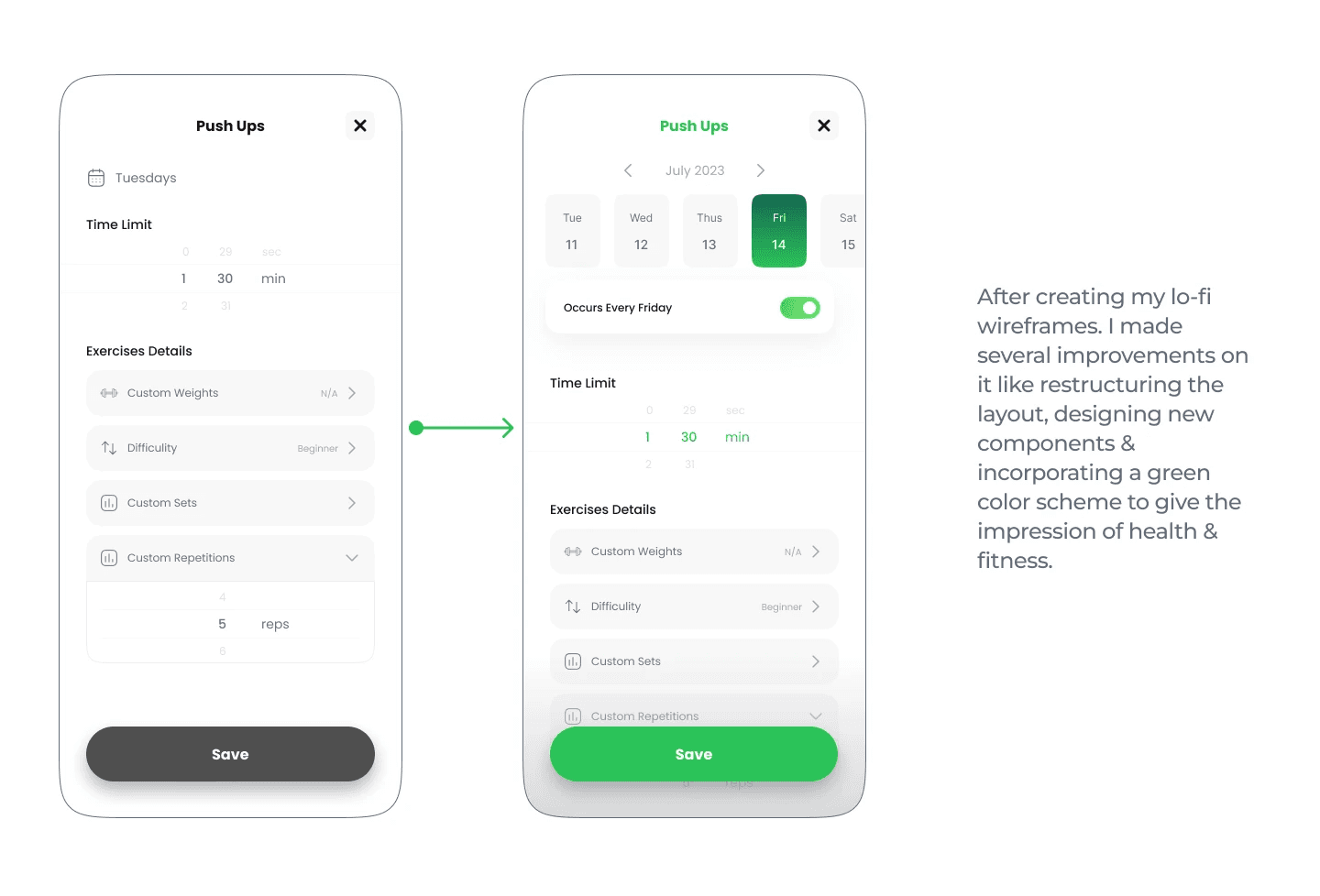
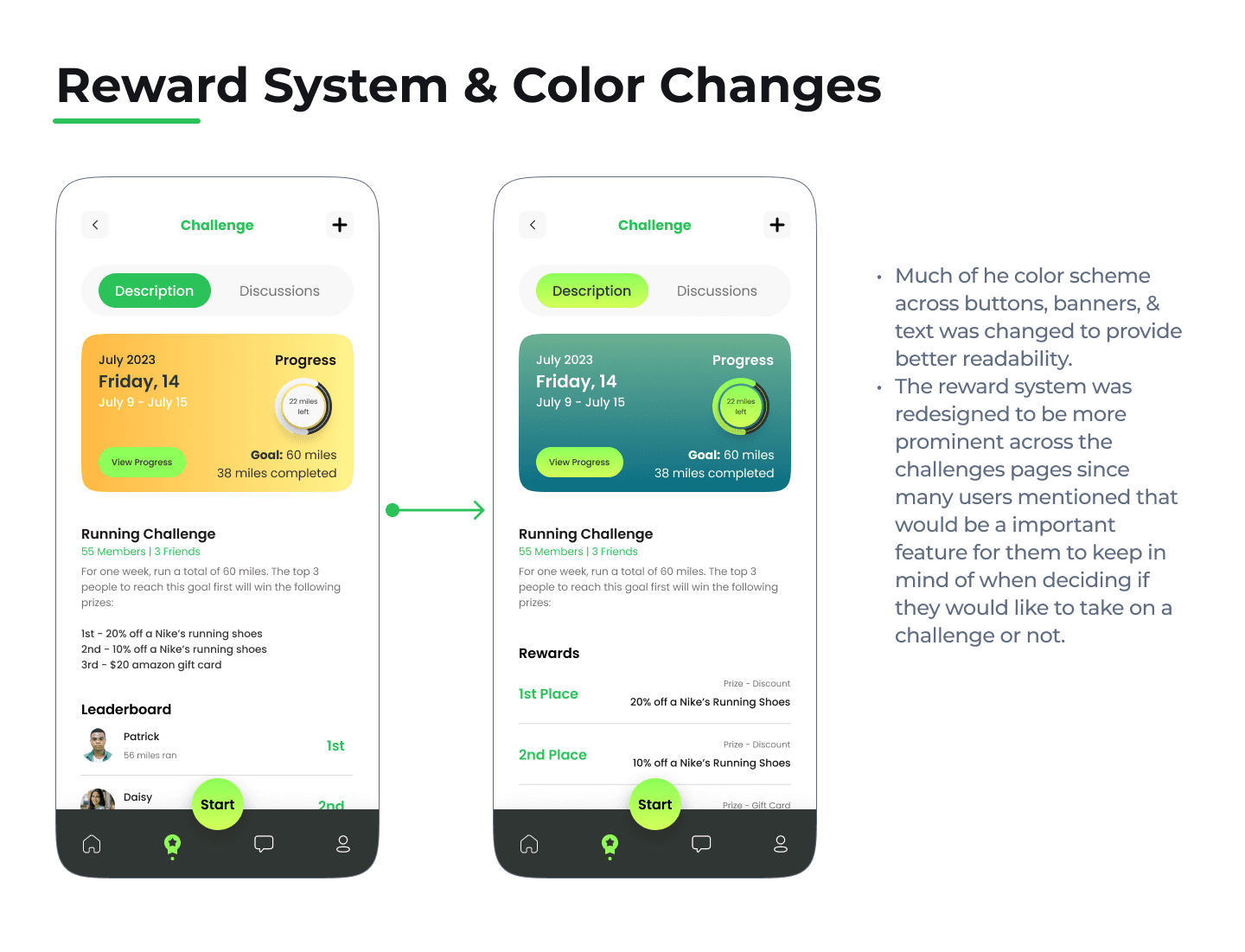
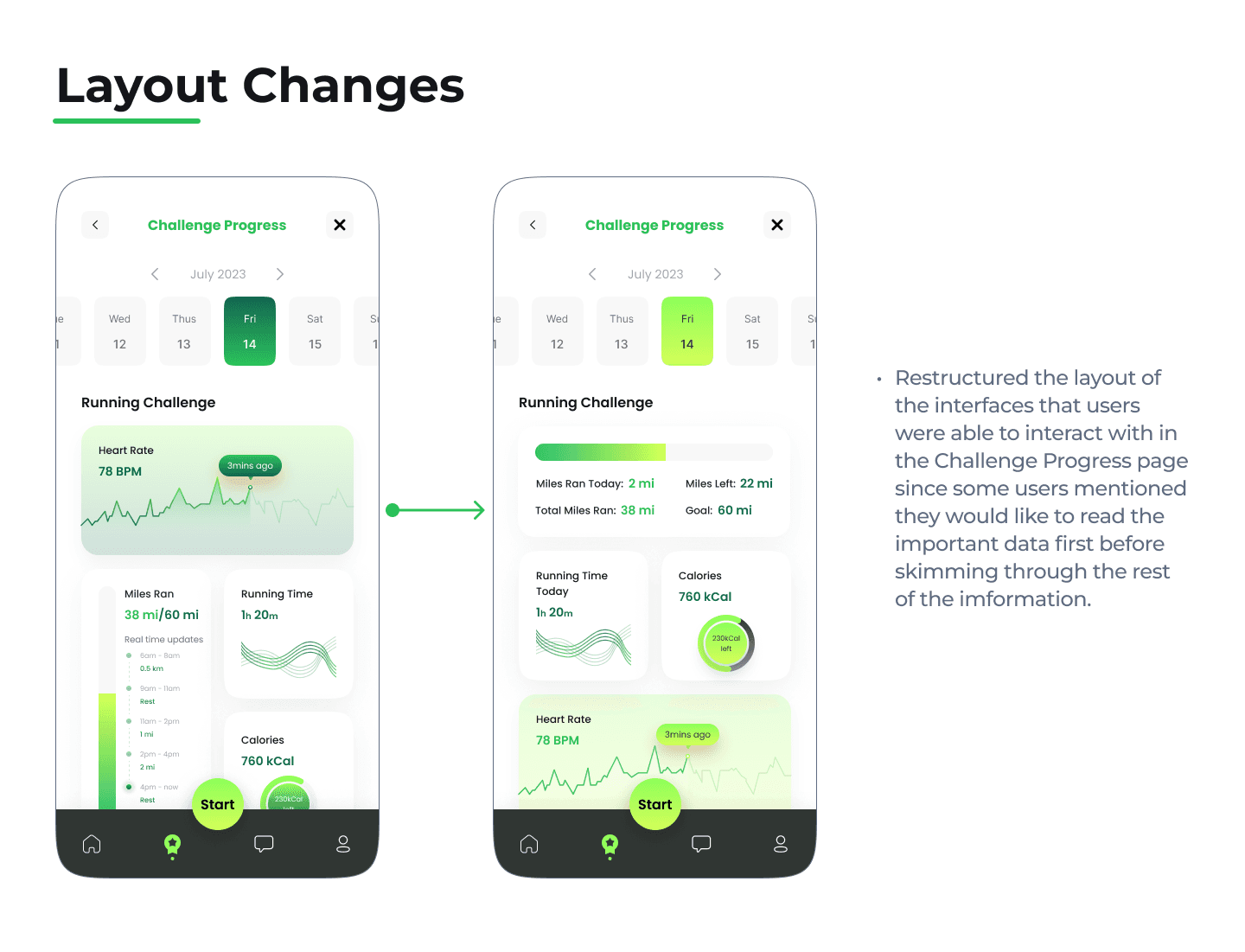
From my usability testing, I made modifications to my designs based on the feedback I received from users
Overall, the Fitness Friends App seems to have successful in providing community & engagement with users.
Key Takeaways
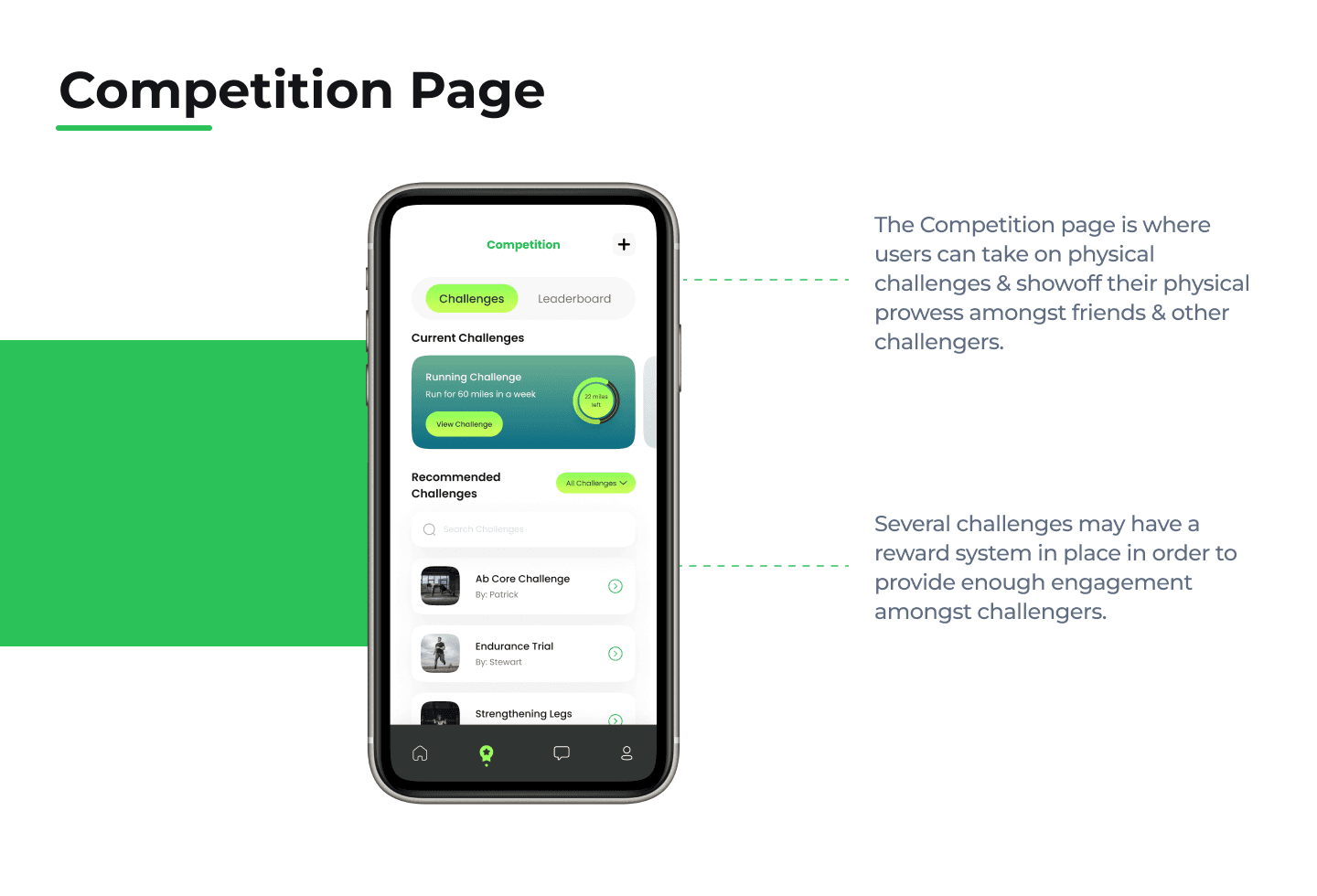
Users liked the concept of competing & challenging against your friends. They could even envision themselves engaging a lot with their friends through this feature.
Users appreciated that they were able to connect with & message their friends.
Users like that they could share their fitness journeys with their friends but requested that they have more control over what they share.
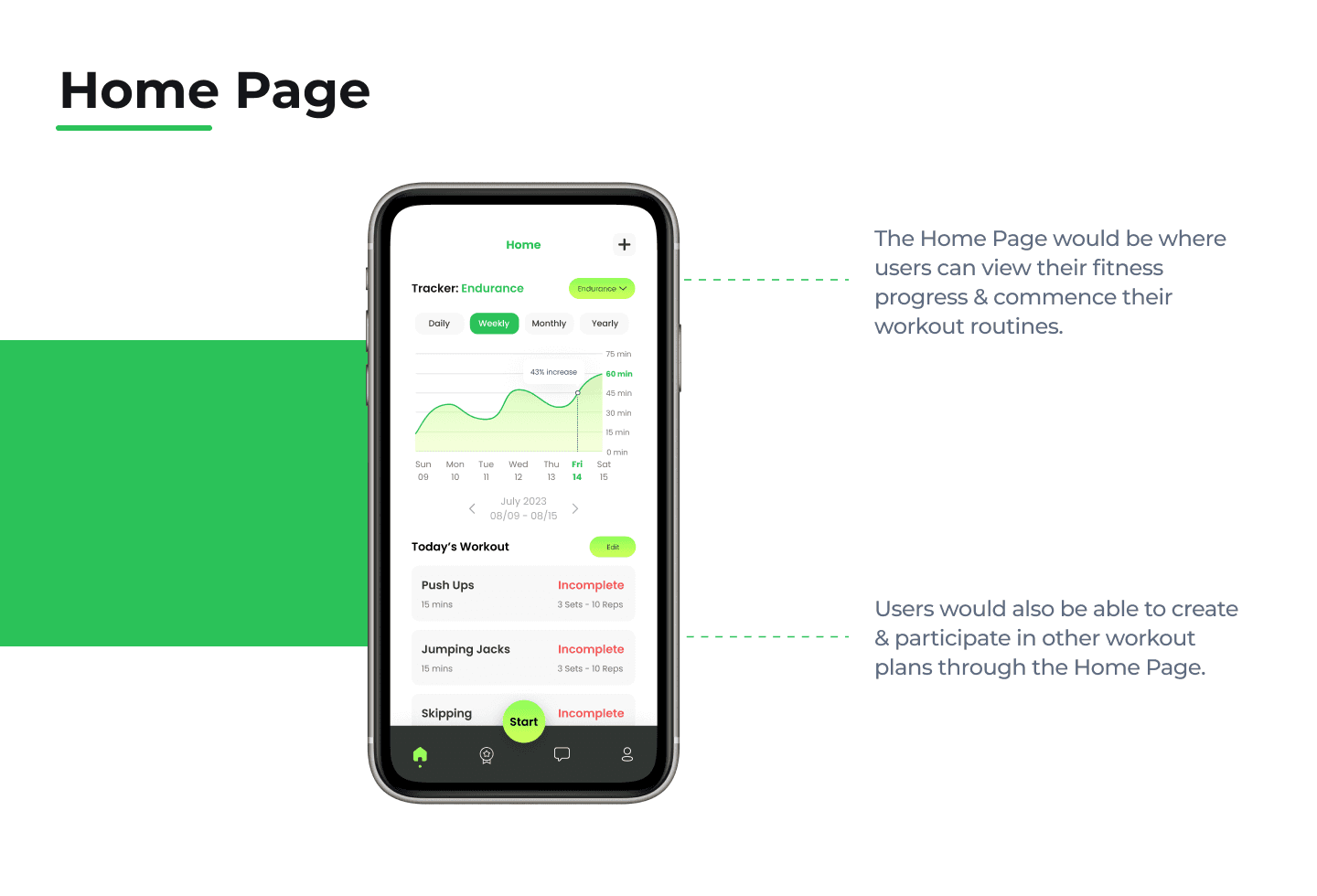
Users liked that they could keep track of their fitness journey but stated that they wish the Home page provided more details or breakdowns of their physique through interactive displays like the Challenge Progress page.
Users mentioned they wish multiple components throughout the prototype could use some animated elements in order to provide a better interactive experience.
Roadmap Moving Forward
From here on forward, I could work to improve upon my FitFriends design by doing the following:
Incorporate Interactive Displays to the Home page focusing on tracking the fitness progress for users.
Implement more animations across the Prototype.
Create the Profile pages for the app since I ran out of time.
Flush out the Profile information users will be able to share & view amongst their friends.
Test out if providing more control to users when they start their Workout Routine could be beneficial for the entire user experience.

© 2023 Luigy Rivas. All clever phrases & jaw-dropping designs reserved.